How to Process a Booking and Complete Funding Confirmation
1. Open the booking you want to process
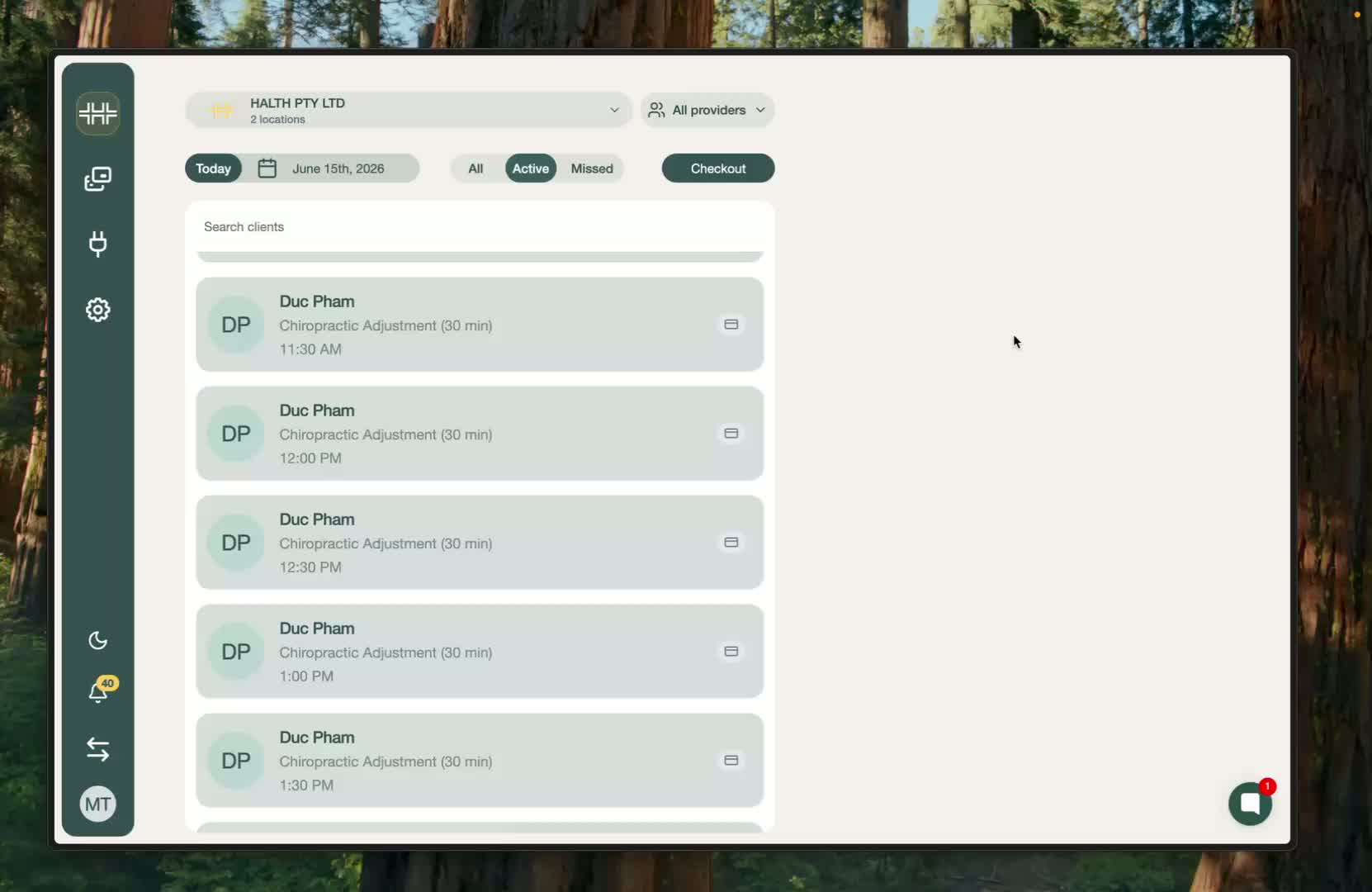
Start on the homepage.
Find the booking you want to process.
Click the booking to open it.
2. Verify the booking details
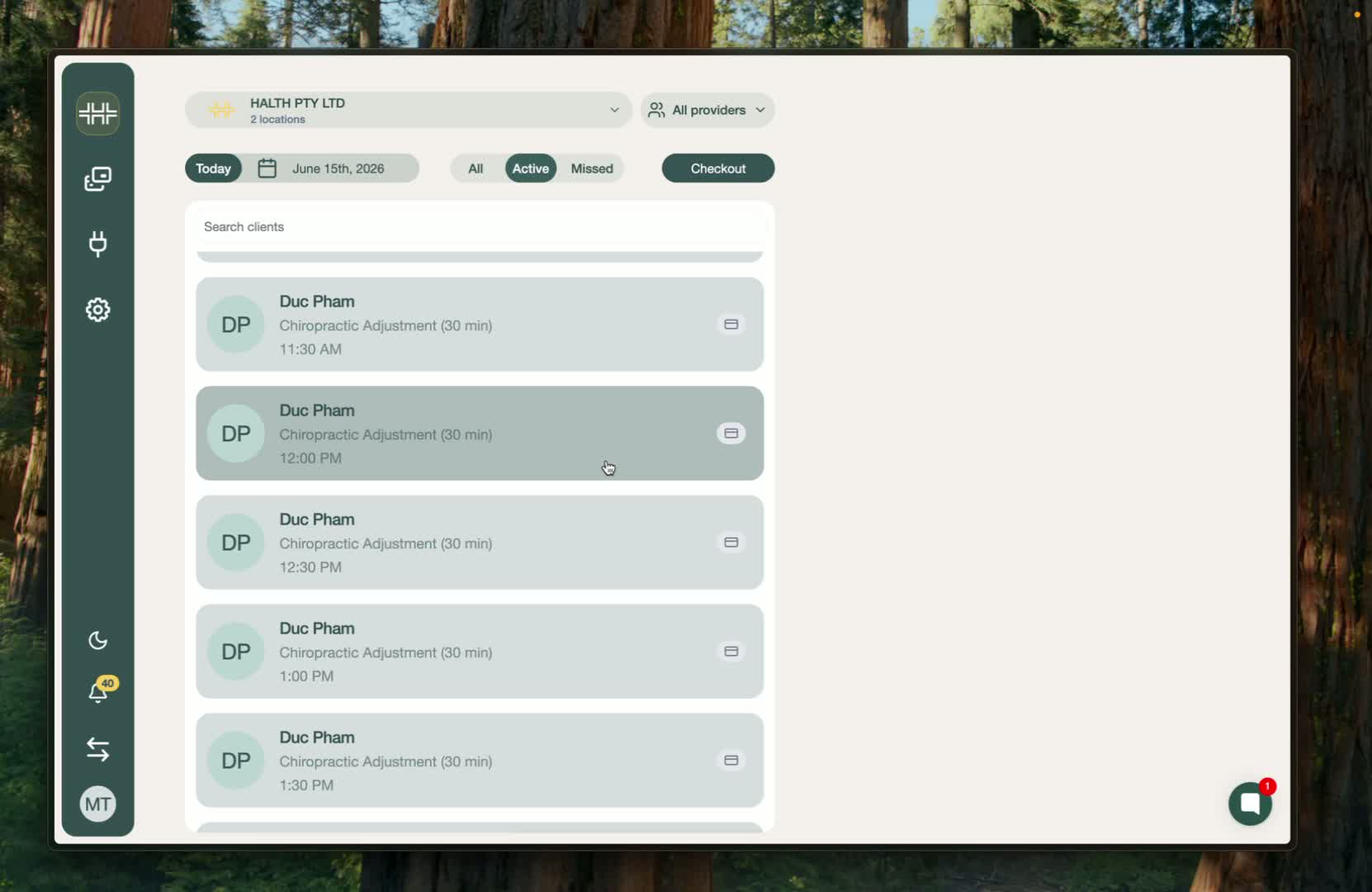
Check that the provider is correct.
Confirm the client details are correct.
Move on to review the funding details.
3. Add the client’s health funding card
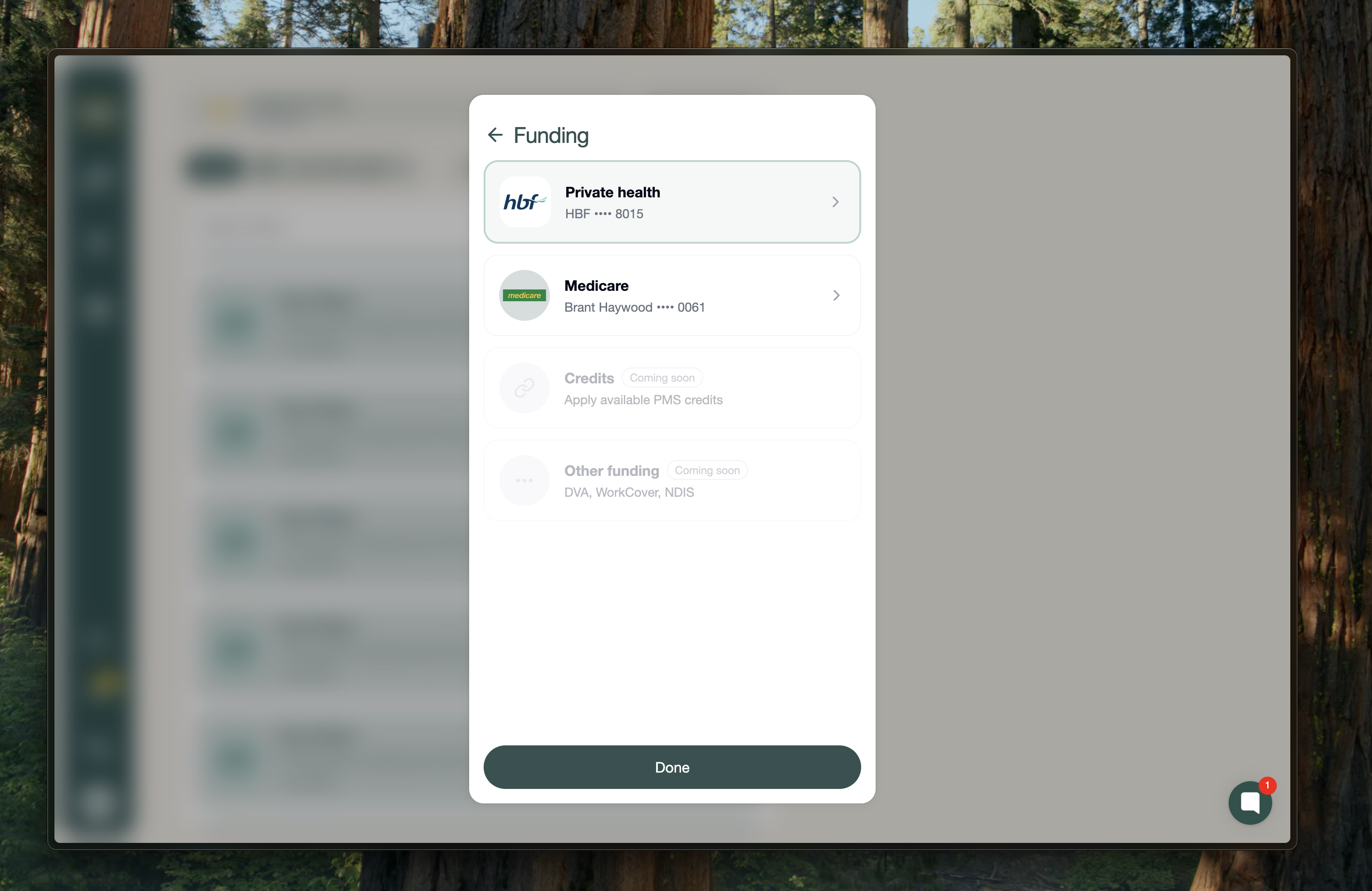
Choose Add new card or use a saved card if one already exists.
Select the relevant health fund.
Enter the required card details.
Click Done to save the funding method.
4. Review the real-time funding lookup
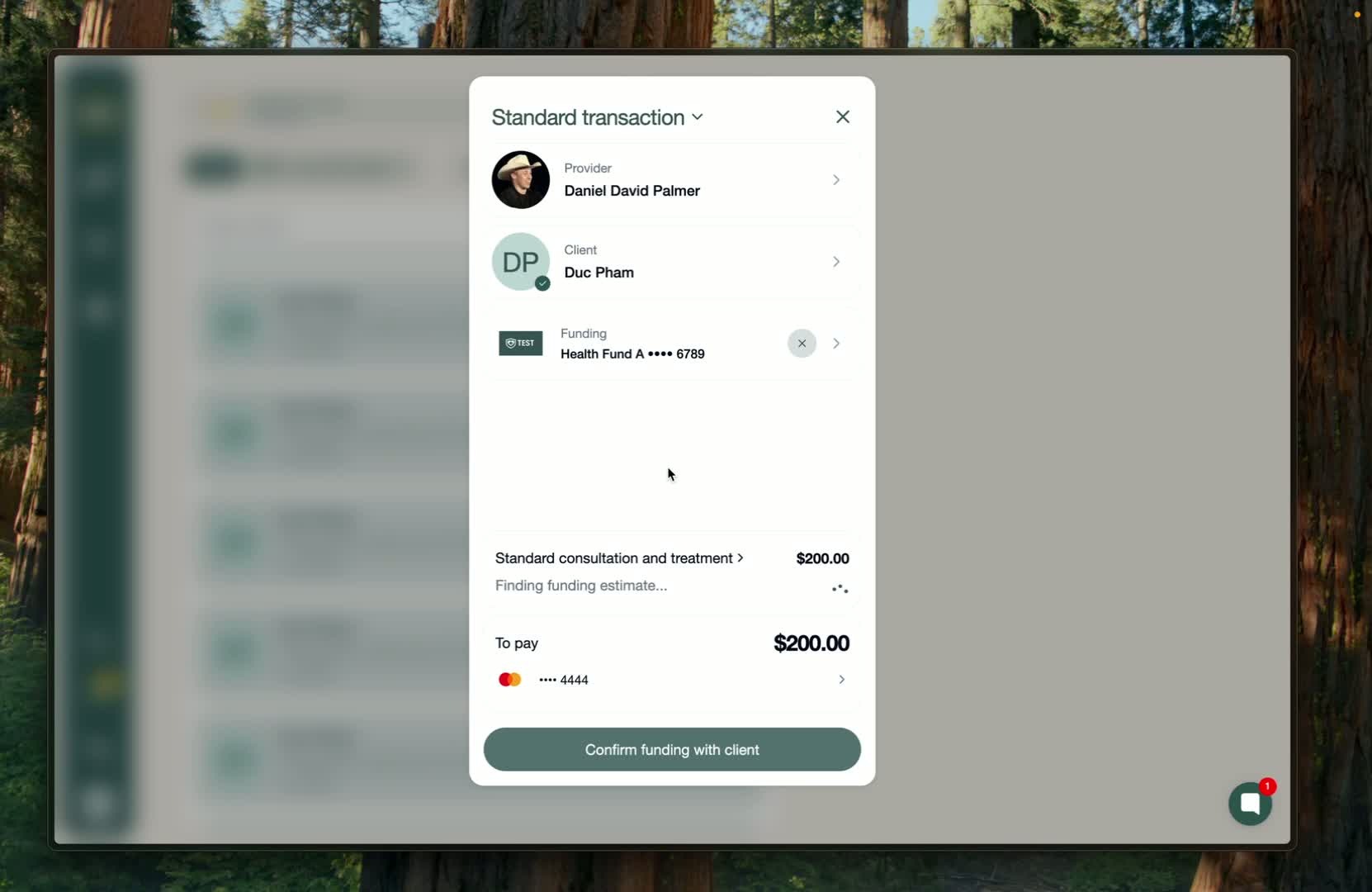
Check the real-time funding lookup section.
Confirm the codes, pricing, and items are correct.
Apply any discounts if needed.
Make sure a valid payment method is selected or added.
5. Confirm funding with the client
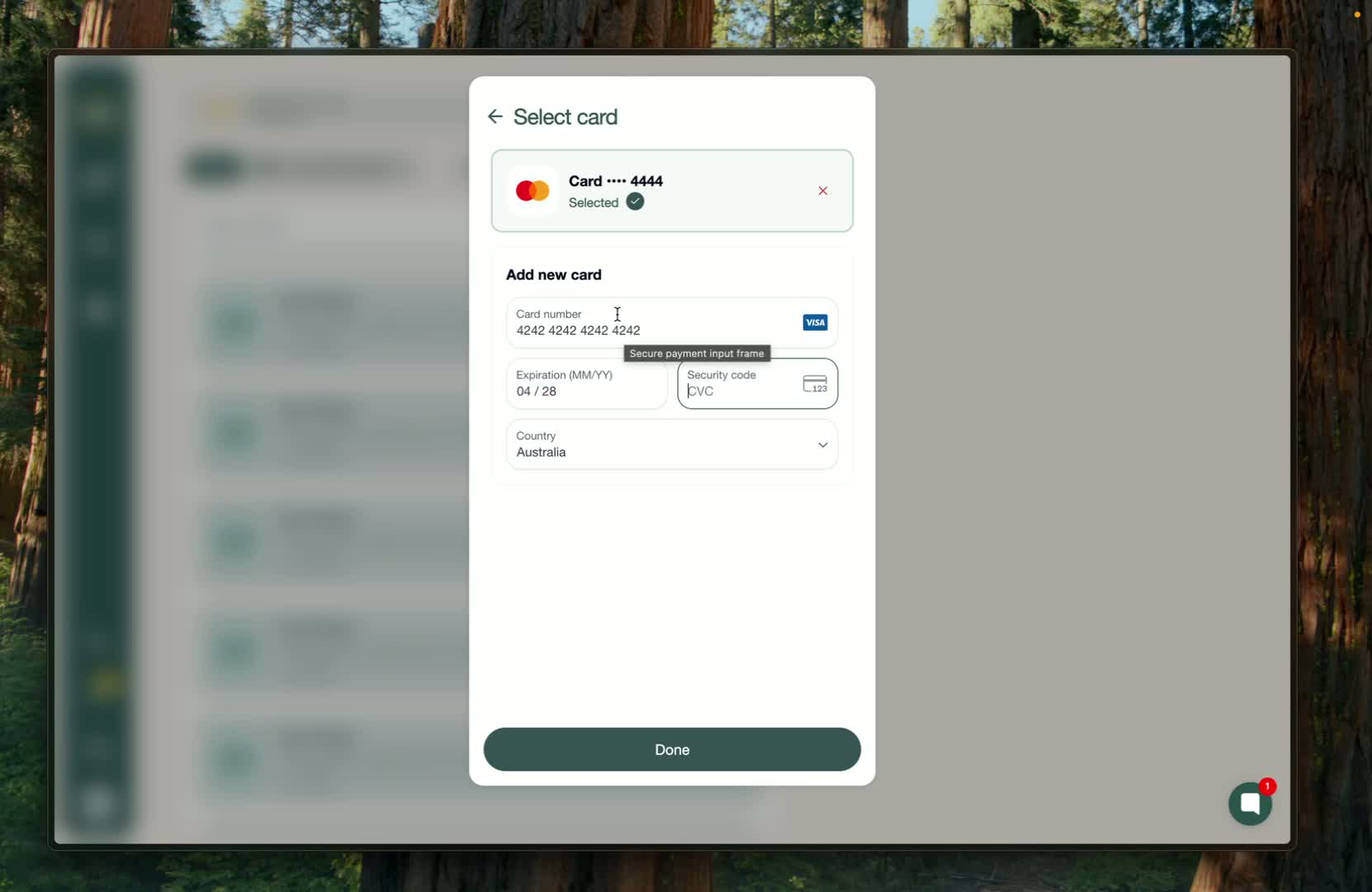
If needed, add a new payment card and click Done.
Click Confirm funding with client.
This sends a code to the client for verification.
6. Enter the client’s verification code
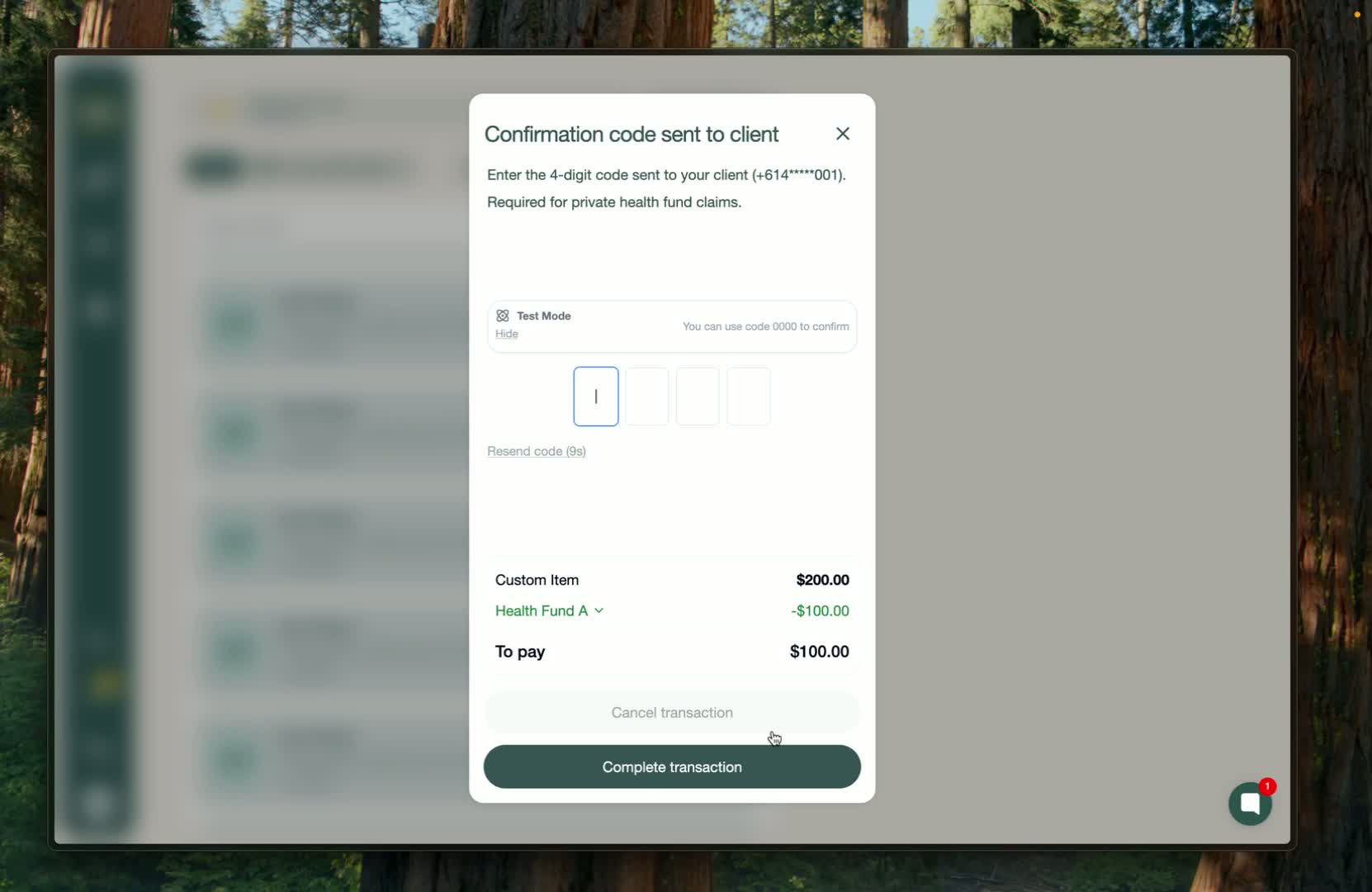
Ask the client to read the code back to you.
Type the code into the system.
Submit it to complete verification.
7. Finish the transaction and download the invoice
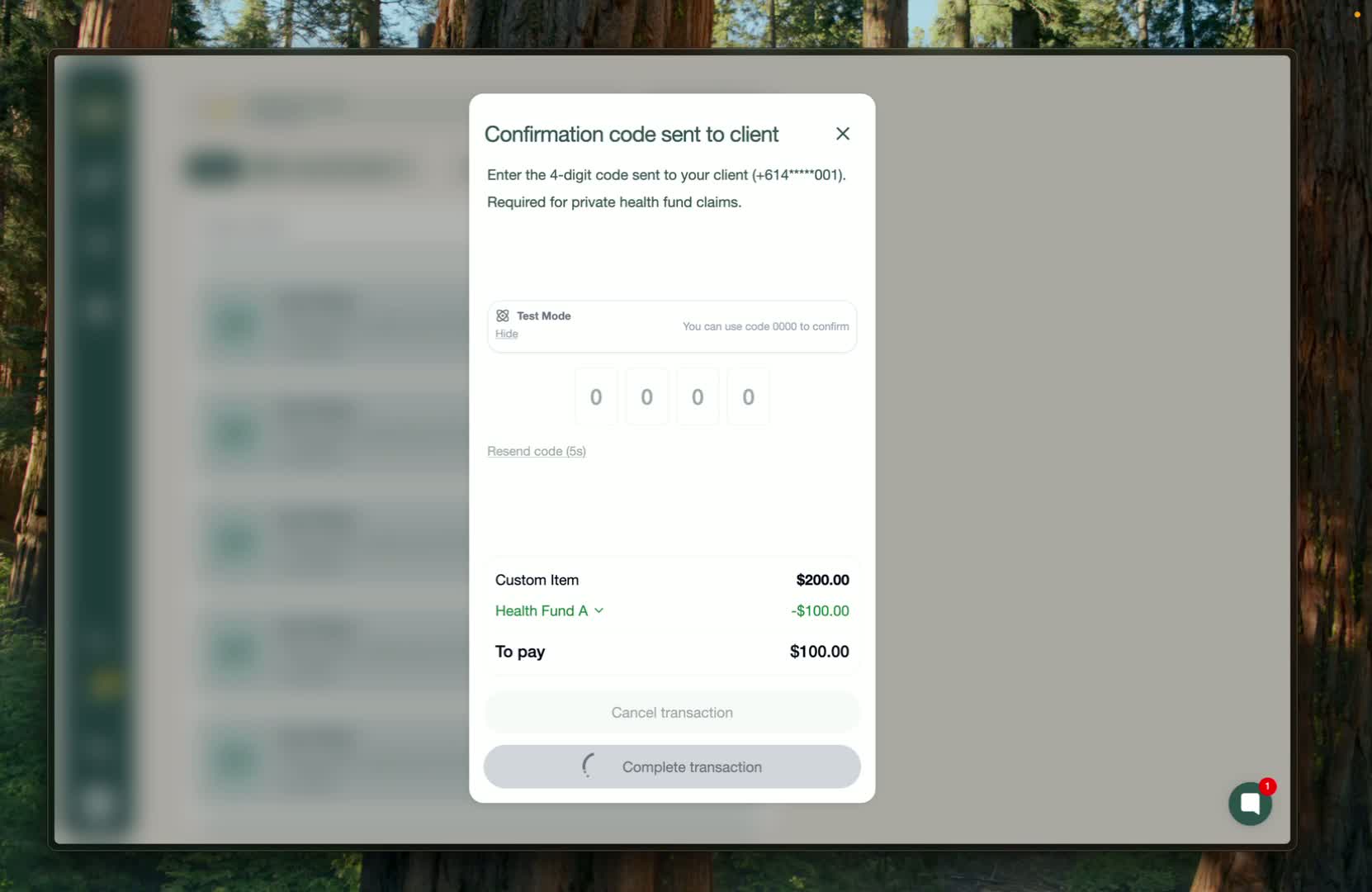
Once the code is accepted, the transaction is complete.
Download the invoice.
The booking processing flow is now fully finished.