Two ways to start processing a booking
You can open a booking through Cliniko or straight from the HaltH homepage. Both take you to the same processing screen, so choose whichever suits your workflow!
Option 1: Through Cliniko (most common)
Log in to Cliniko and go to Appointments.
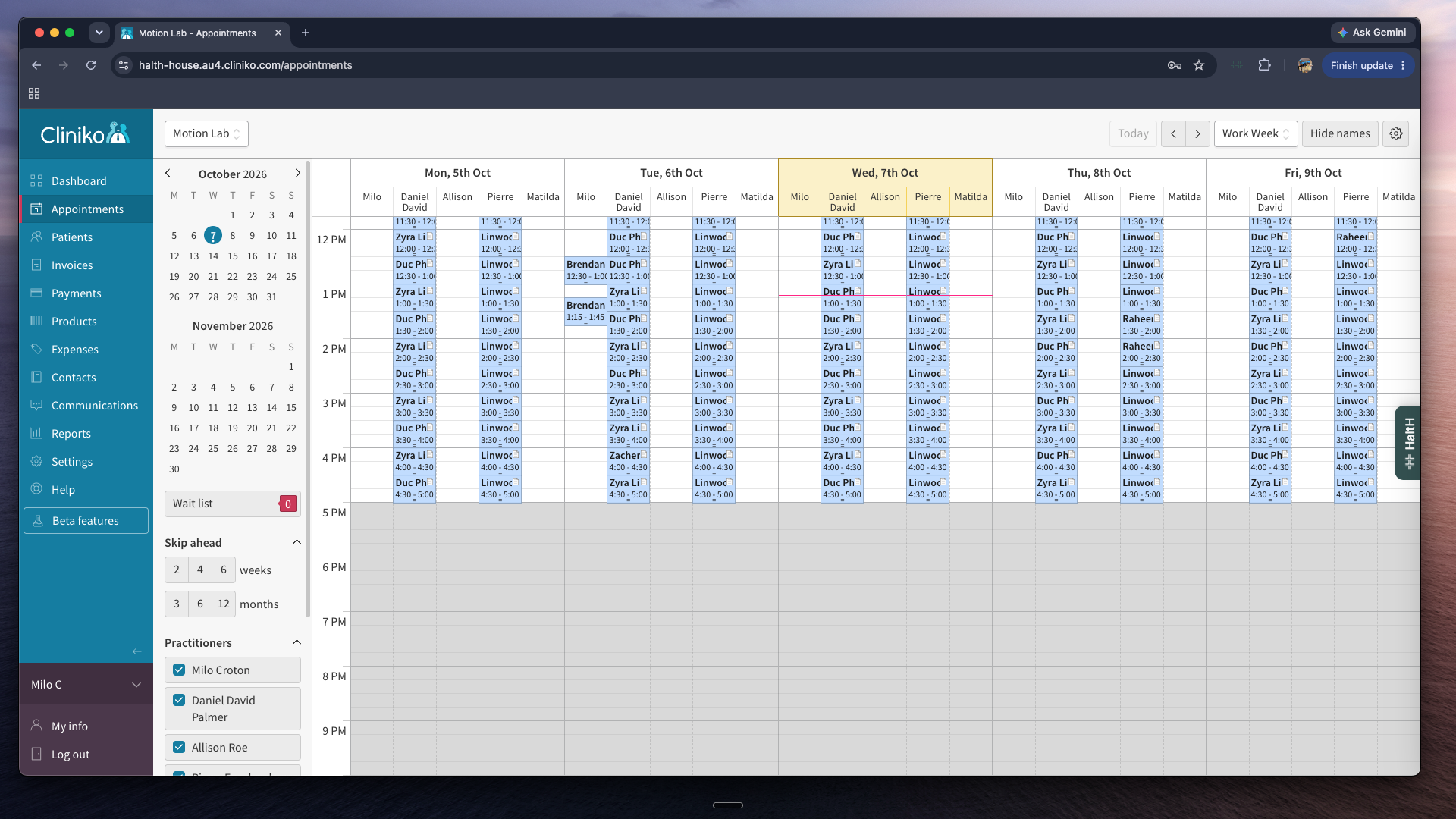
Find the booking you want to process and click on it.
Click the Pay with HaltH button.
Option 2: Through the HaltH homepage
Log in to HaltH and go to the homepage.
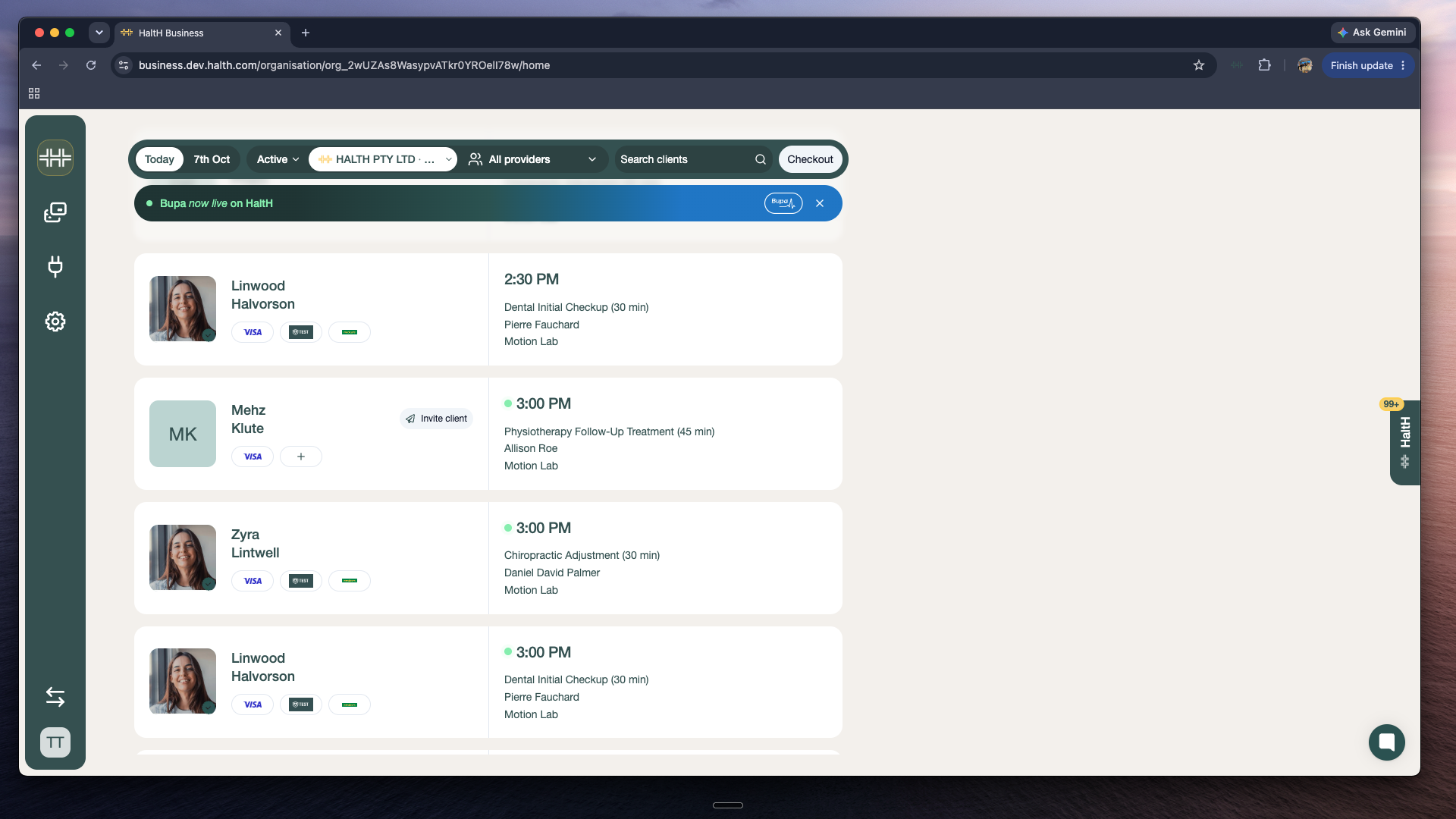
Find the booking you want to process and click on it. This will take you to the HaltH checkout.
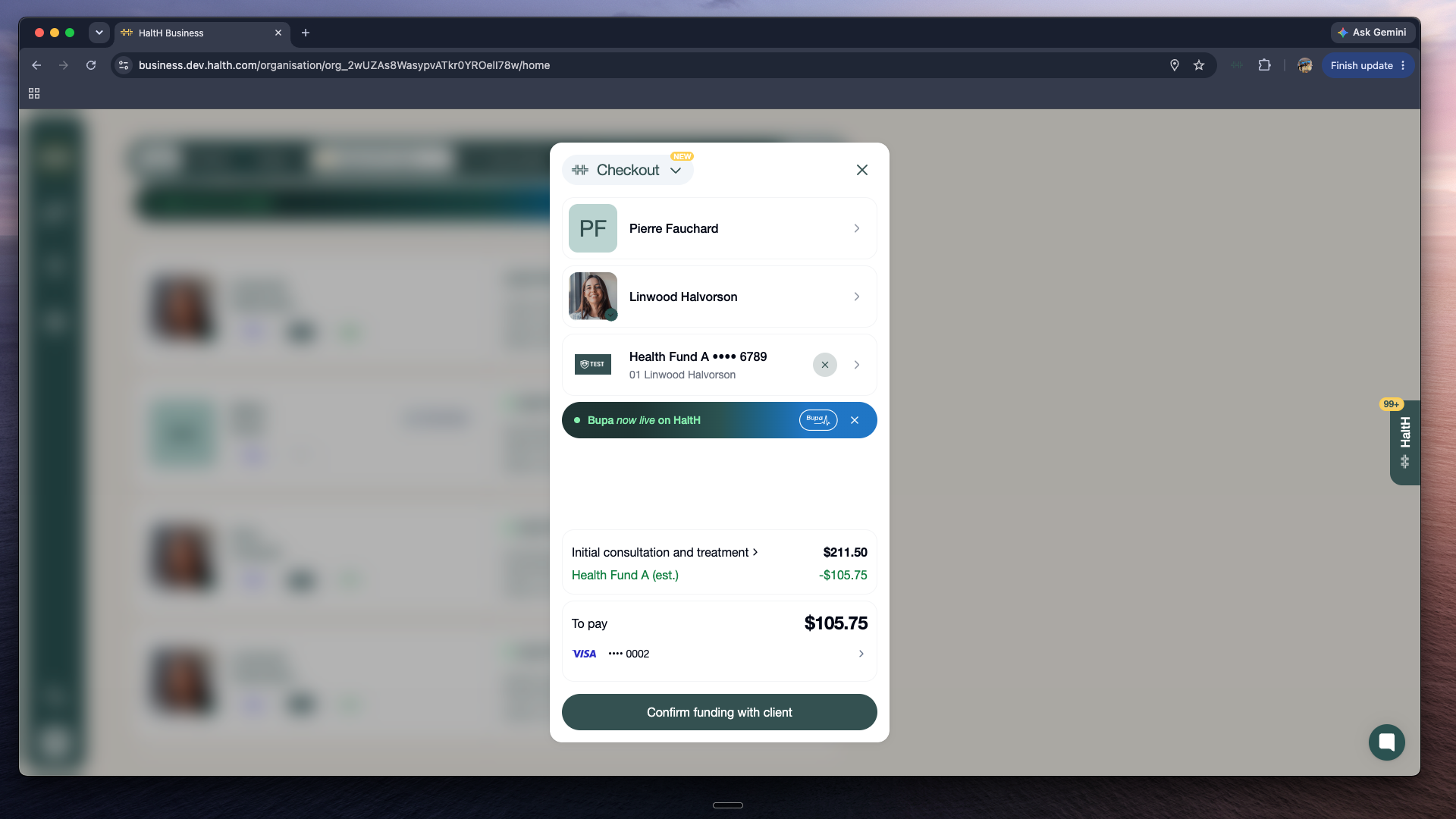
Processing the booking
Confirming Funding with Your Client
If the booking details, health fund card and payment method are all correct, you're ready to go:
Click Confirm funding with client.
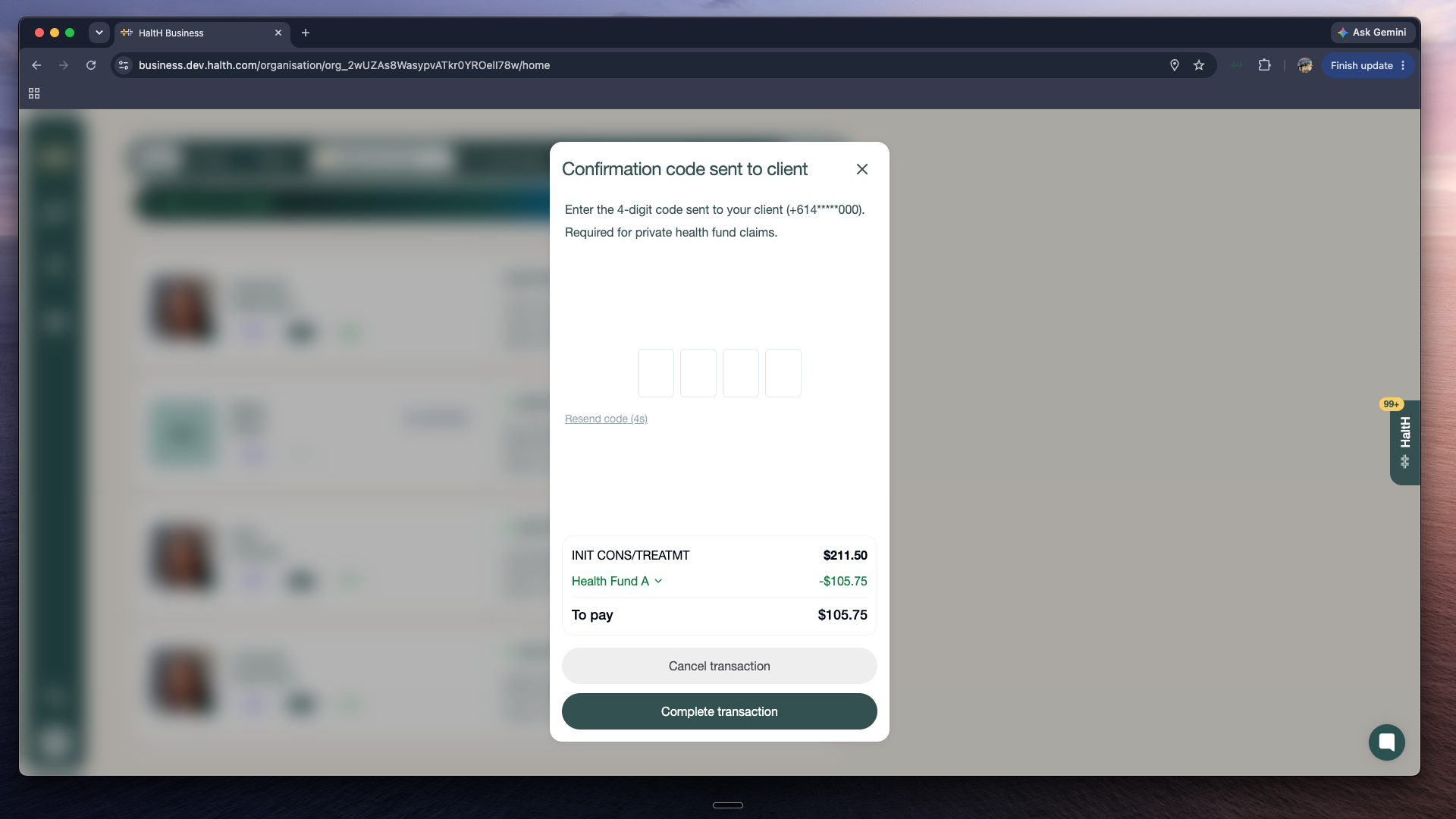
HaltH sends an SMS with a verification code to the client's phone.
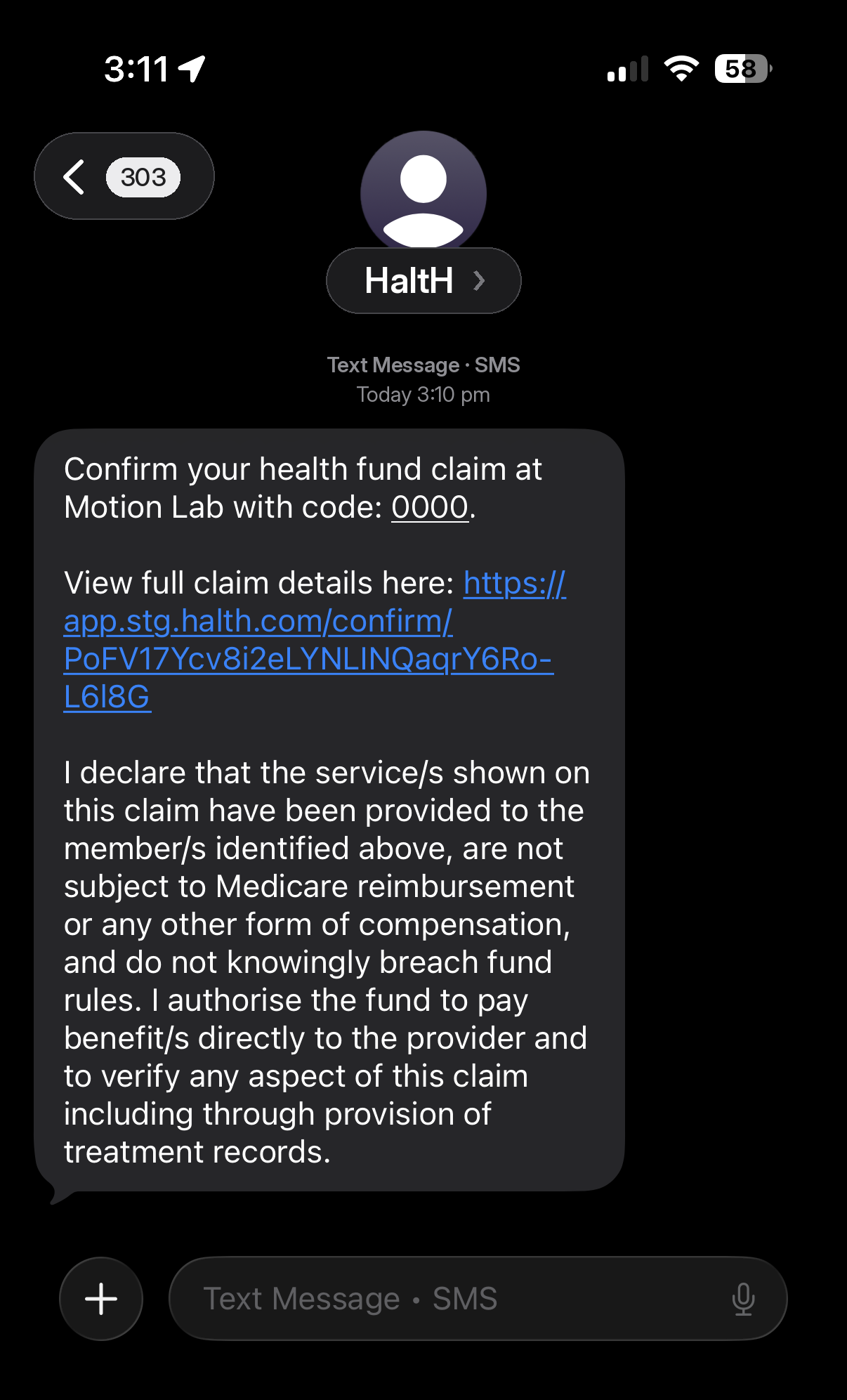
Ask the client to read the code to you.
Type the code into HaltH and submit it.
That's it. The booking is complete that fast! This will automatically send your client a digital receipt, and you can also download it.
Using Cliniko? Remember to reconcile the booking once you're done to do so →
Reconcile the booking in Cliniko
If you use Cliniko, there's one last step to keep your records in sync:
Go back to Cliniko and open Appointments.
Find the booking you just processed and click on it.
Click Reconcile with HaltH.
This will automatically reconcile the booking and mark it as complete.
You're all set! You now know how to process client bookings with HaltH, from opening the booking to confirming funding and reconciling in Cliniko. If you have any questions, our support team is always happy to help. 🎉