What you’ll need
Your HaltH invoice (also sent via SMS and email after payment).
Your nib login details (member number + password).
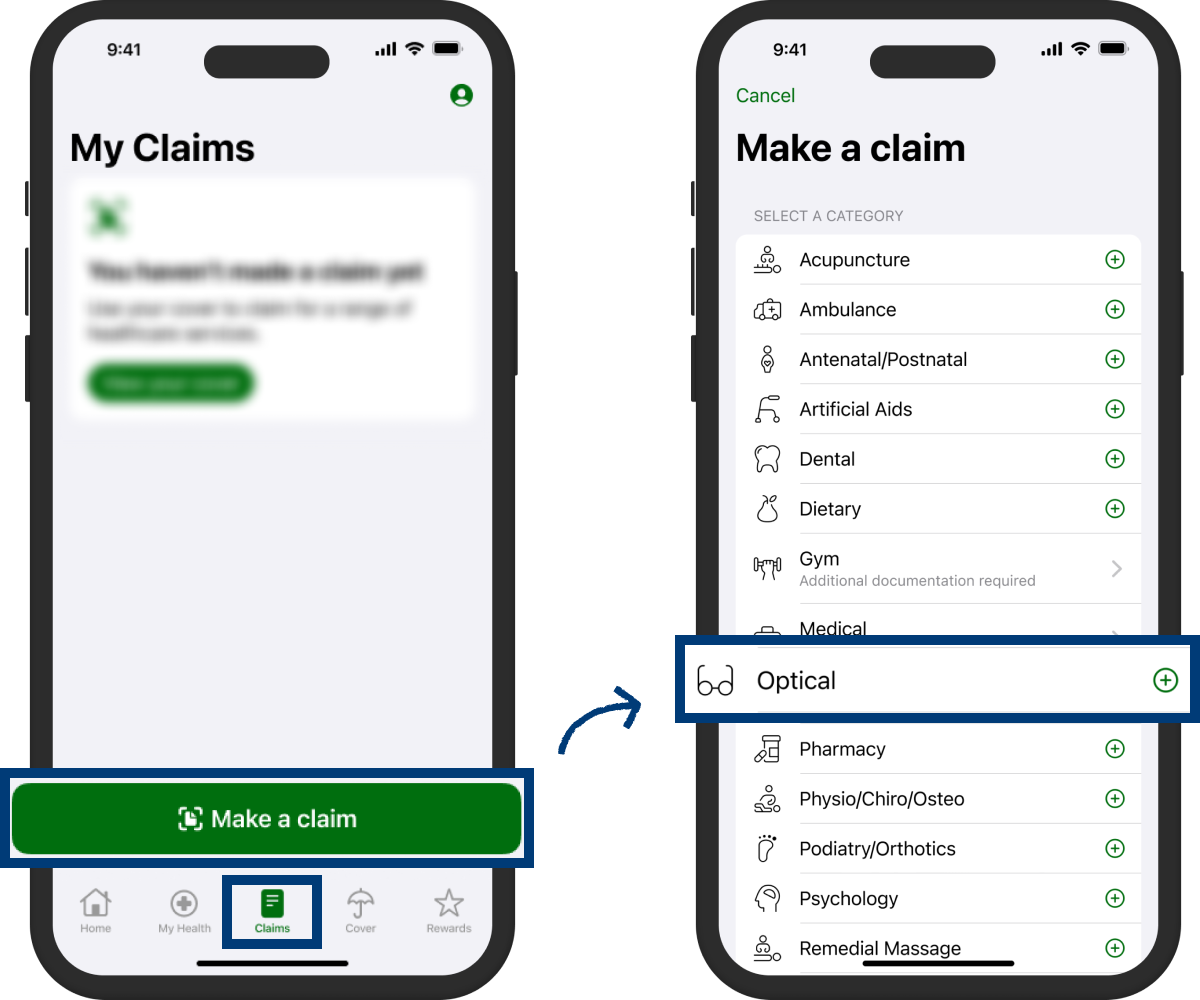
Option A — Claim via the nib App (fastest)
Open the nib App and log in.
Tap Claims from the main navigation.
Tap Make a claim.
Pick a category for your HaltH service
Upload your HaltH invoice.
Review and tap Submit claim.
nib will confirm once processed (processing times vary).
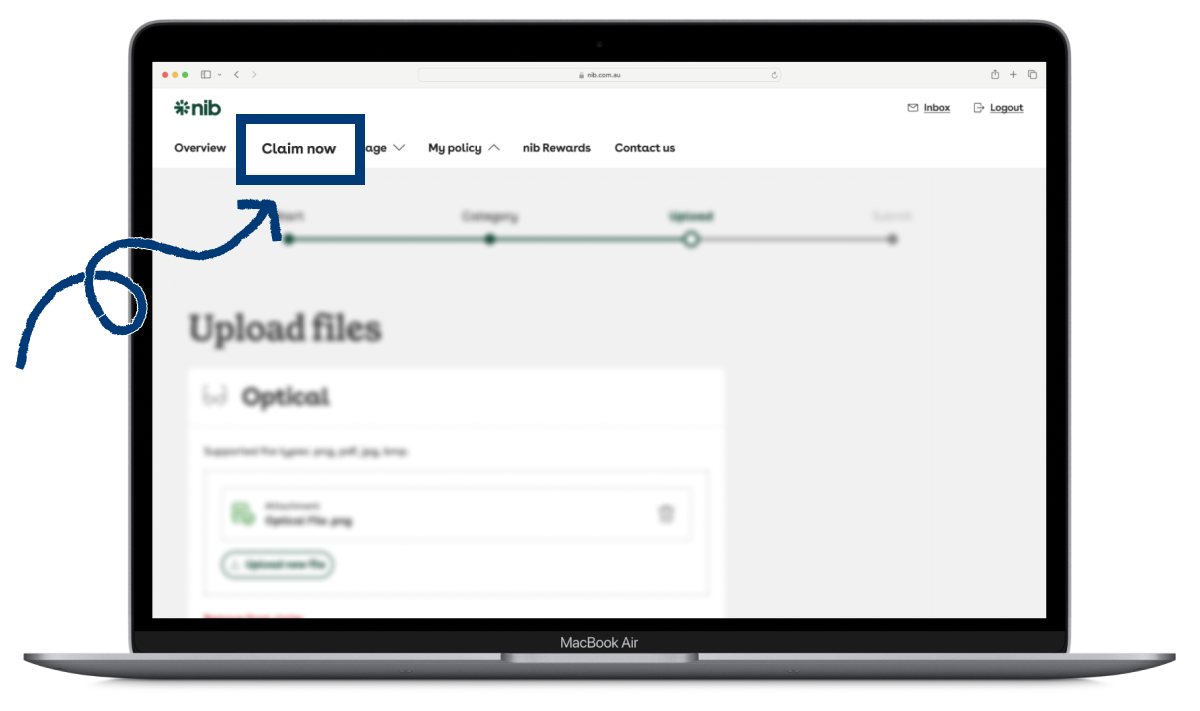
Option B — Claim via the nib Online Member Account
Log in to your nib member account.
From the top navigation, select Claim now.
Pick the category for your service (e.g., Physio/Chiro/Osteo, Psychology).
Upload your HaltH invoice.
Ensure the document is clear and readable.
Submit your claim and wait for nib’s confirmation.