company logo

Help center

Back to HaltH
How Secure is HaltH?What Health Funds Are Available?
Explore all topicsMedicareHow to Process a Medicare Claim at Checkout

How to Process a Medicare Claim at Checkout

Learn how to add Medicare details, attach a referral, and submit a claim in just a few steps.

How to complete a booking with Medicare attached?

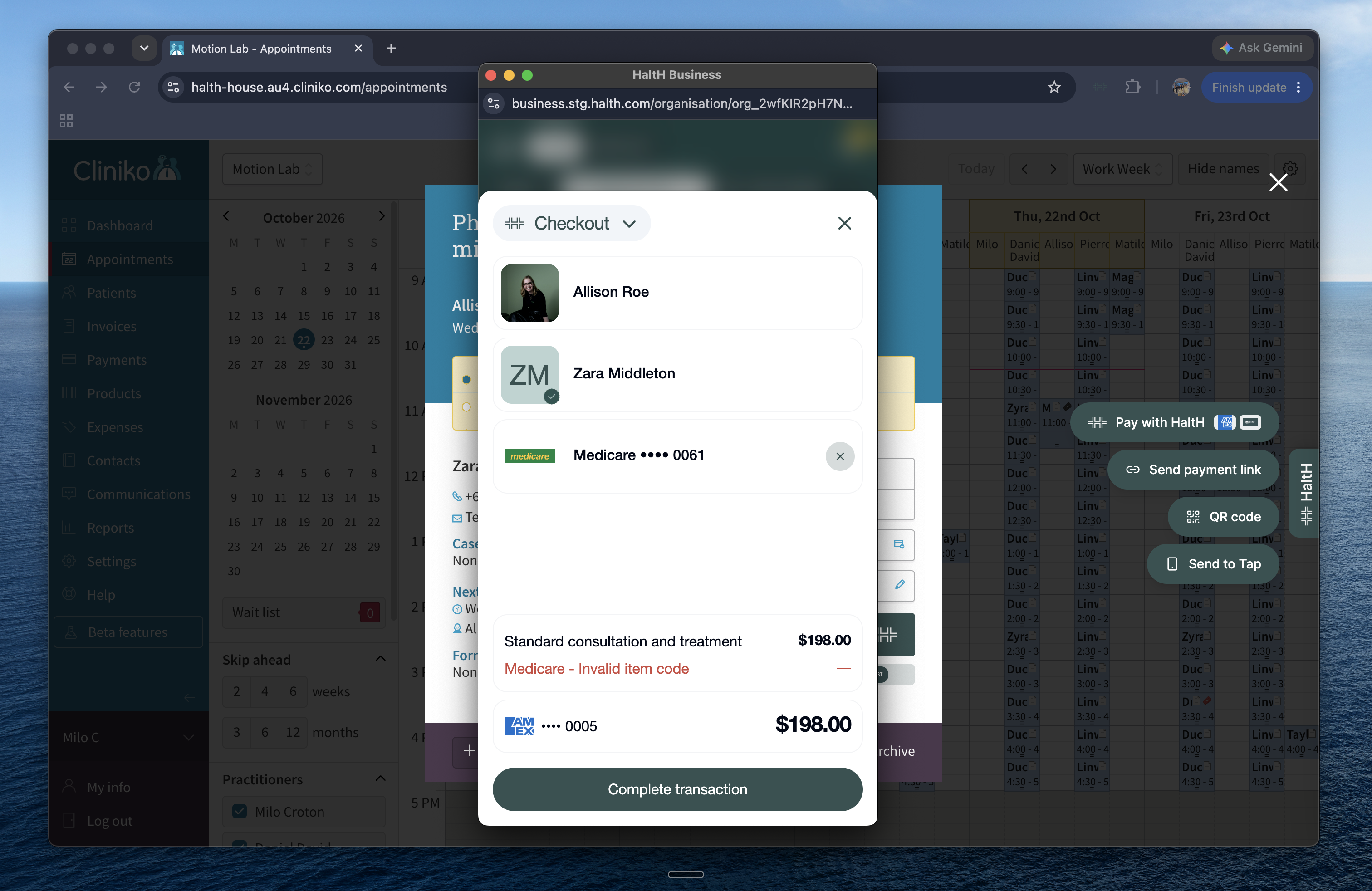
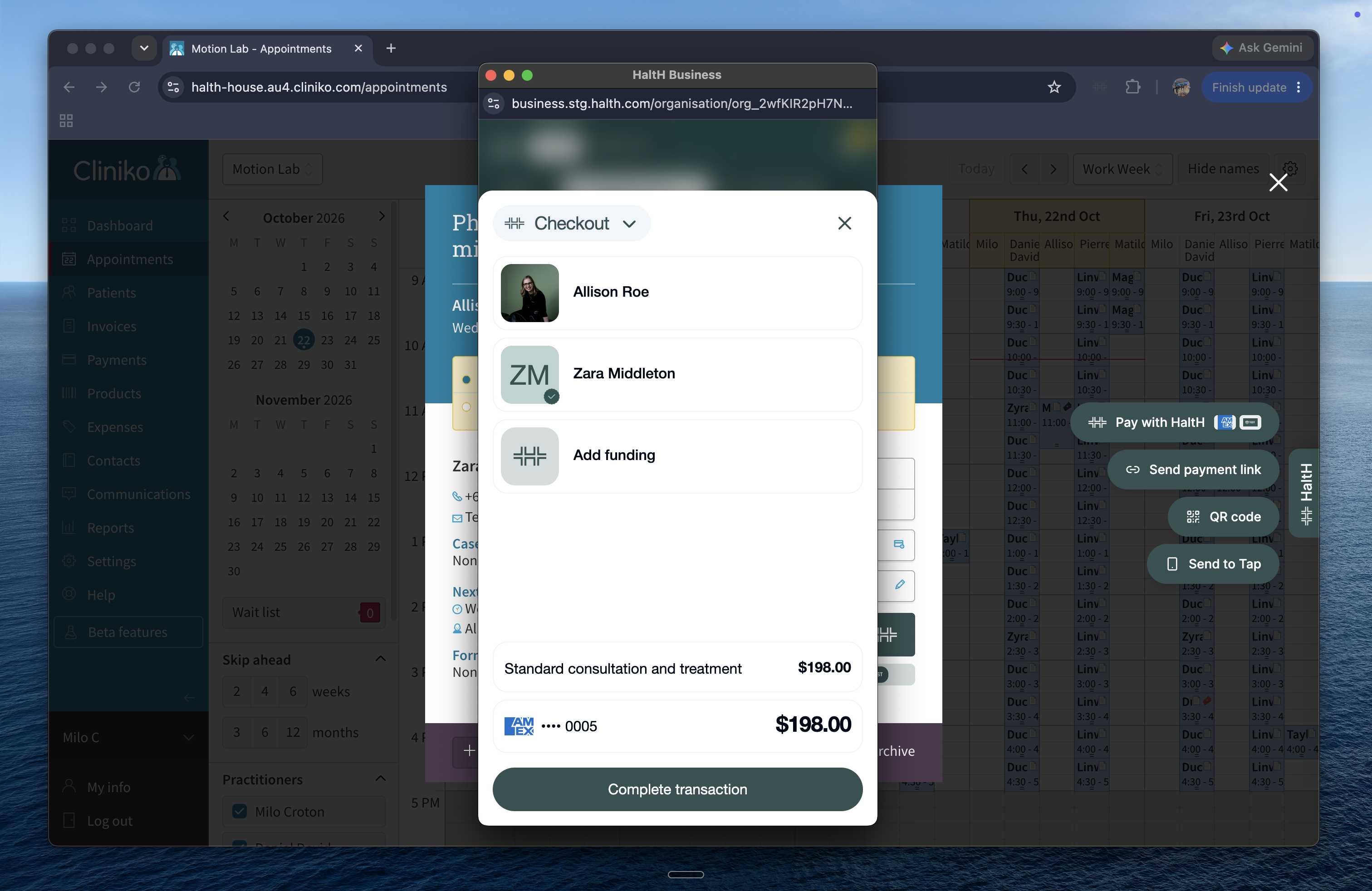
A Checkout payment modal overlays Cliniko’s Appointments calendar, showing selected patient Zara Middleton, a $198 consultation, saved card, and Complete transaction button. Visible: Checkout, Allison Roe, Zara Middleton, Add funding, Standard consultation and treatment, $198.00.
  • Start from the selected booking you would like to process with Medicare.

  • Add the Medicare details:
    1. Select Add Funding.
    2. Press Medicare.
    3. Select a saved Medicare card or add a new card.
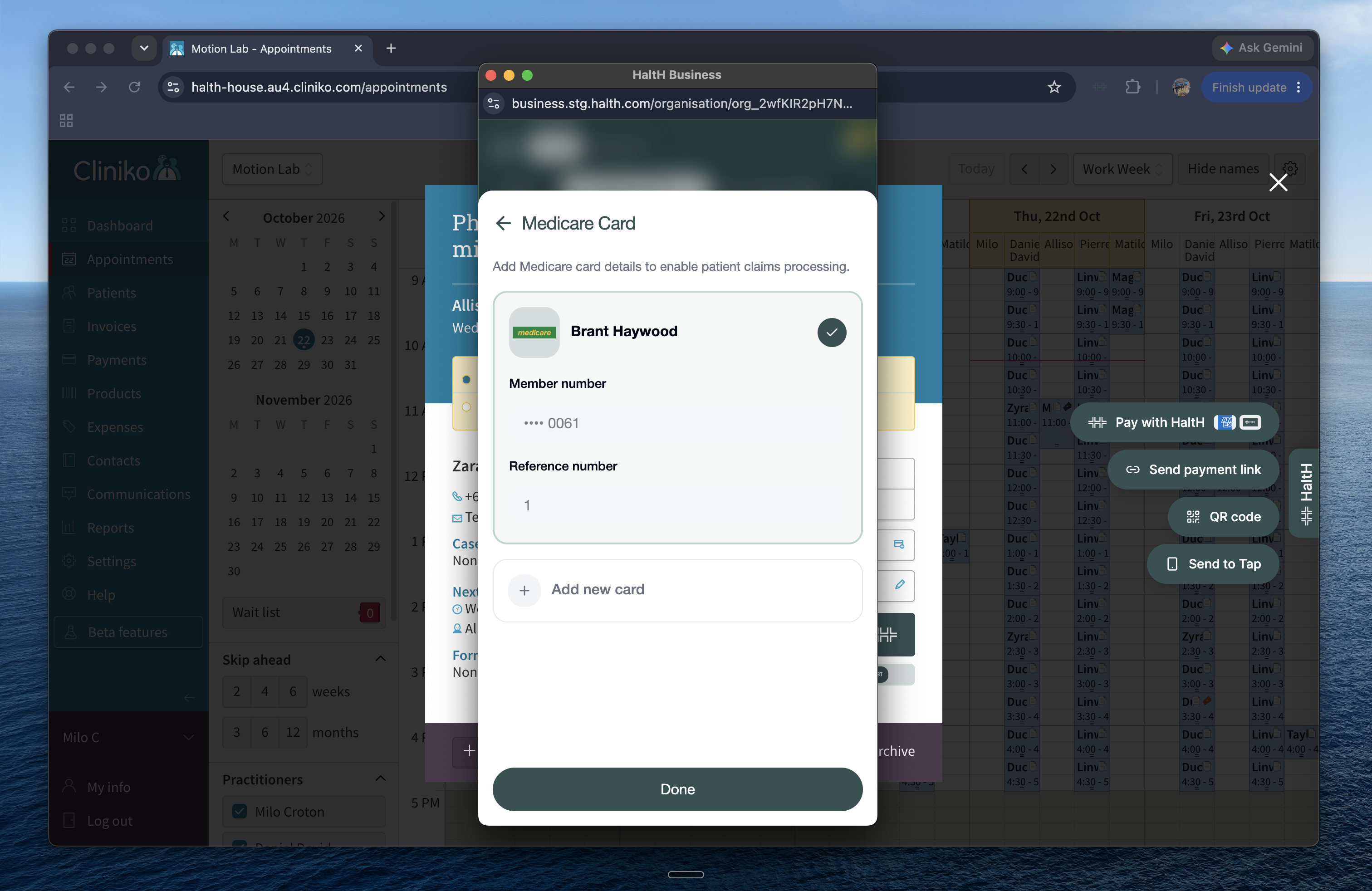
The Medicare Card panel shows Brant Haywood’s saved card, masked member number, reference number, Add new card option, and Done button over the Appointments screen. Visible: Medicare Card, Add Medicare card details to enable patient claims processing., Brant Haywood, Member number, •••• 0061, Refere

You will now need to enter a referring provider.
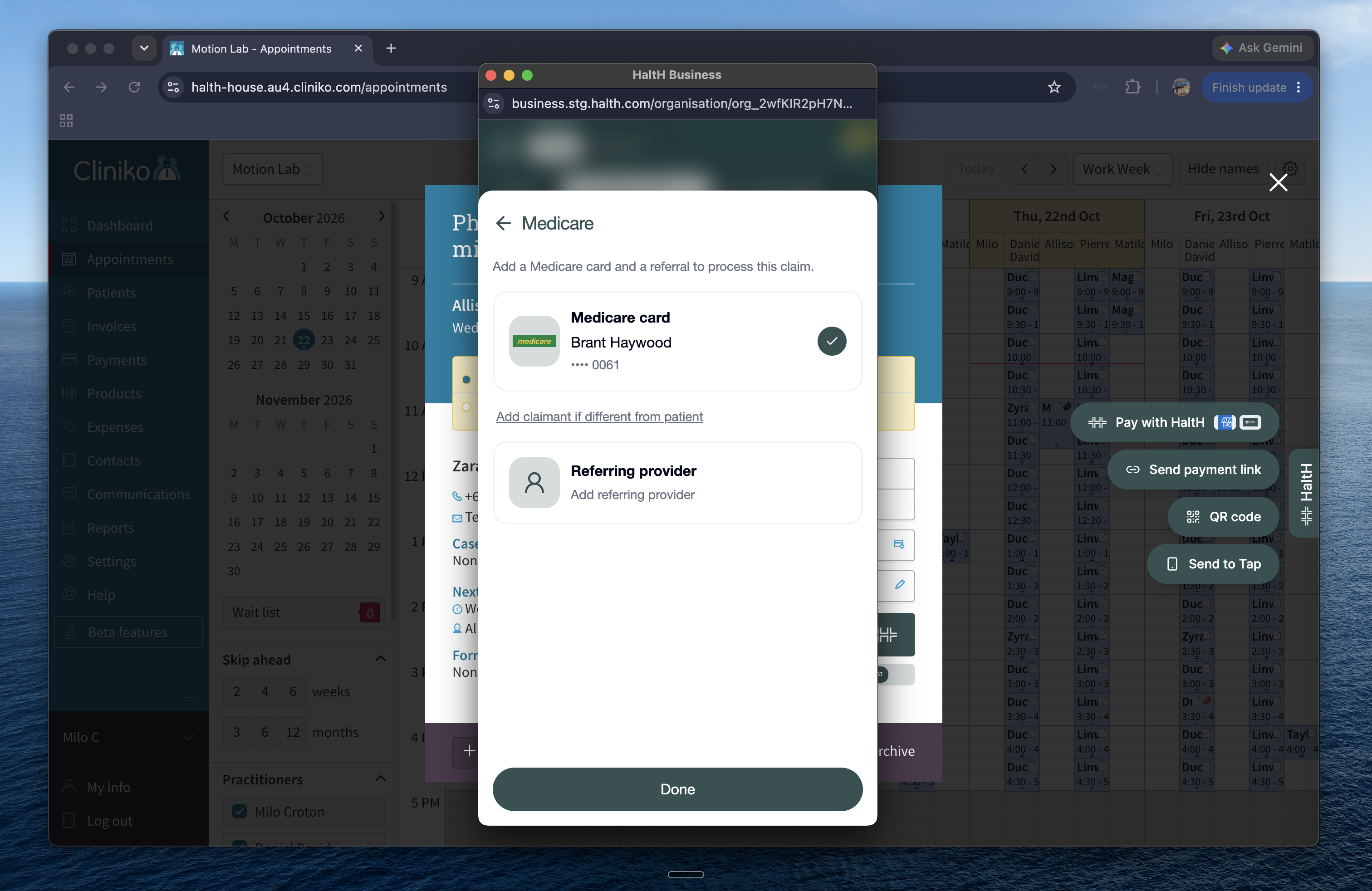
  • Press Add referring provider.

  • Add a client referral or select a saved one.
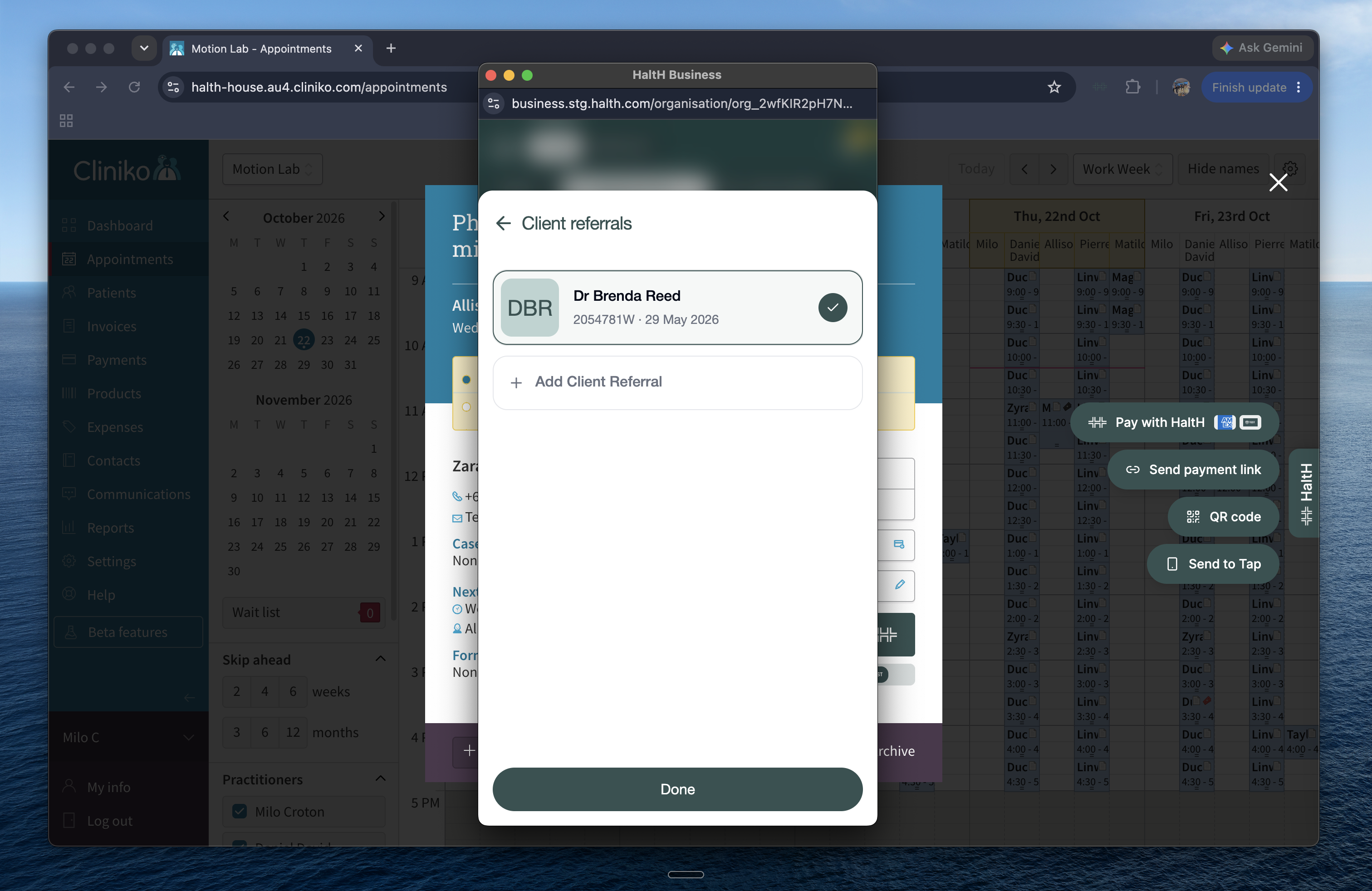
    The Client referrals screen shows Dr Brenda Reed selected with a checkmark and an Add Client Referral option in a modal over the Cliniko appointments calendar. Visible: Client referrals, Dr Brenda Reed, DBR, 2054781W · 29 May 2026, Add Client Referral, Done.


    A Checkout payment modal overlays the Cliniko Appointments calendar, showing patient and payment methods, a Medicare invalid item code warning, and Complete transaction. Visible: Checkout, Allison Roe, Zara Middleton, Medicare •••• 0061, Standard consultation and treatment, Medicare - Invalid item c

Seeing an error at checkout?
This usually means the appointment type isn’t eligible for a Medicare claim. To fix it, click the appointment box, then the appointment type in the top-left corner, and select a Medicare appointment type.


Why doesn’t the rebate change the total? The client pays the full fee upfront. Once the claim is processed, Medicare pays the rebate directly to the client which can take up to 5 business days.
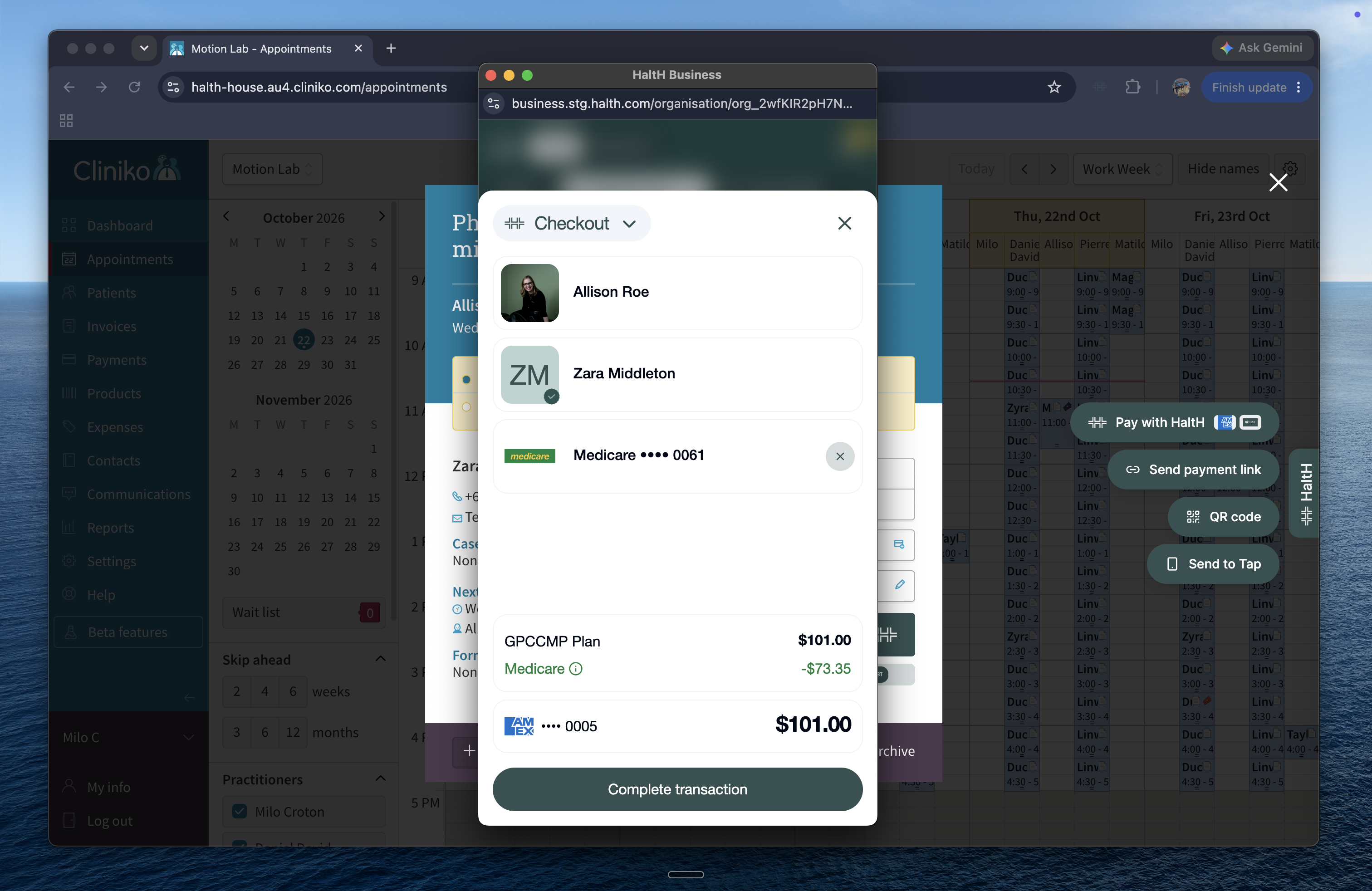
A Checkout transaction modal overlays the Cliniko Appointments calendar, showing patient and Medicare details, a card charge, and a Complete transaction button. Visible: Checkout, Allison Roe, Zara Middleton, Medicare •••• 0061, GPCCMP Plan, $101.00.

Check that all the details are correct, then select Complete transaction to finish.

3. Send the receipt and wait for Medicare processing:

  • After submission, you can send a receipt.

  • You can send this by email address or phone number.

  • The Medicare claim will take up to five business days to process.

Did this help?
😞
😐
😁