Locations in HaltH sync from your practice management system. To remove a location, deactivate it in your PMS, and it will update in HaltH automatically.
Option 1 — Cliniko
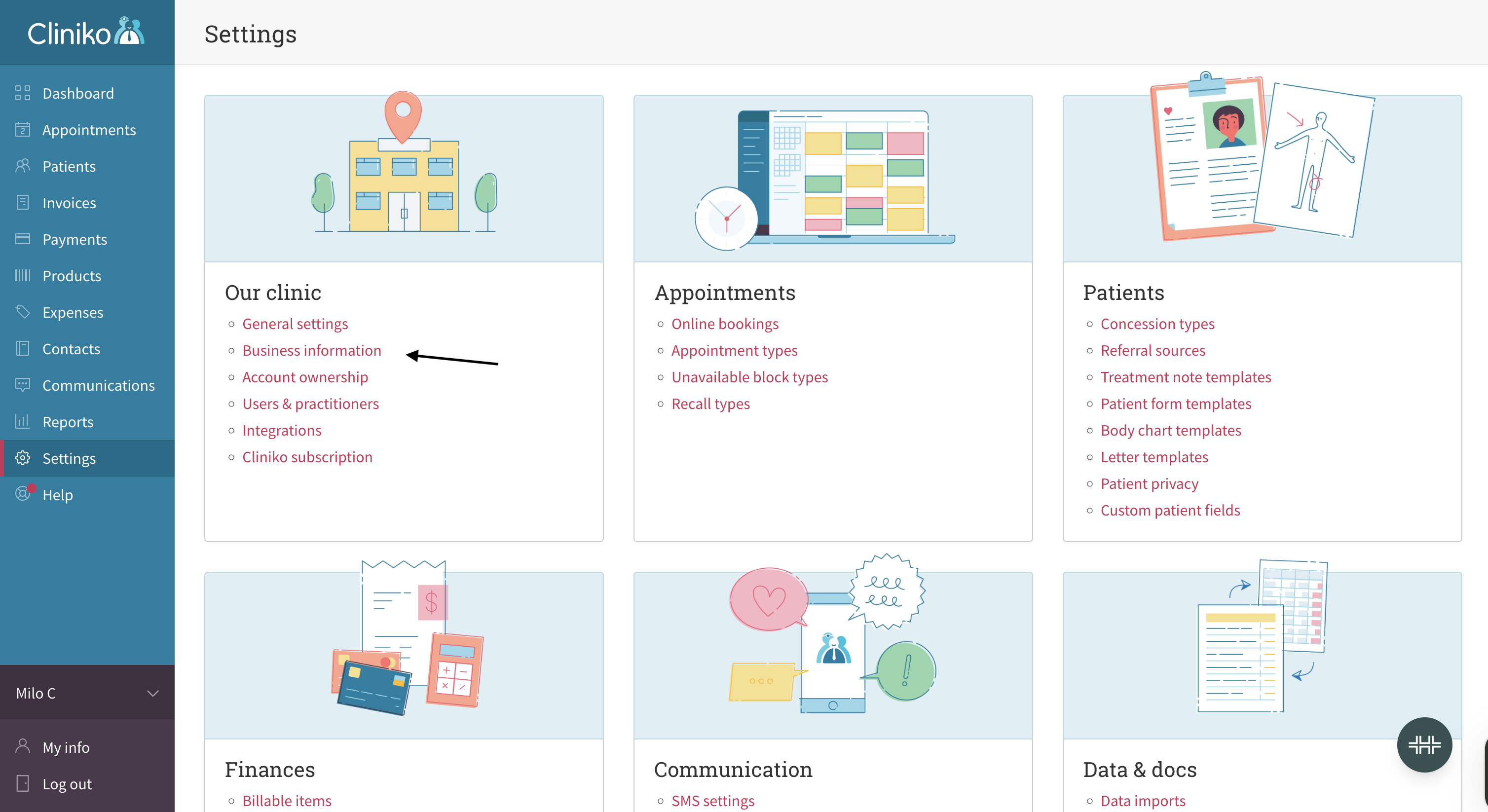
Go to Settings in the sidebar.
Click Business information.
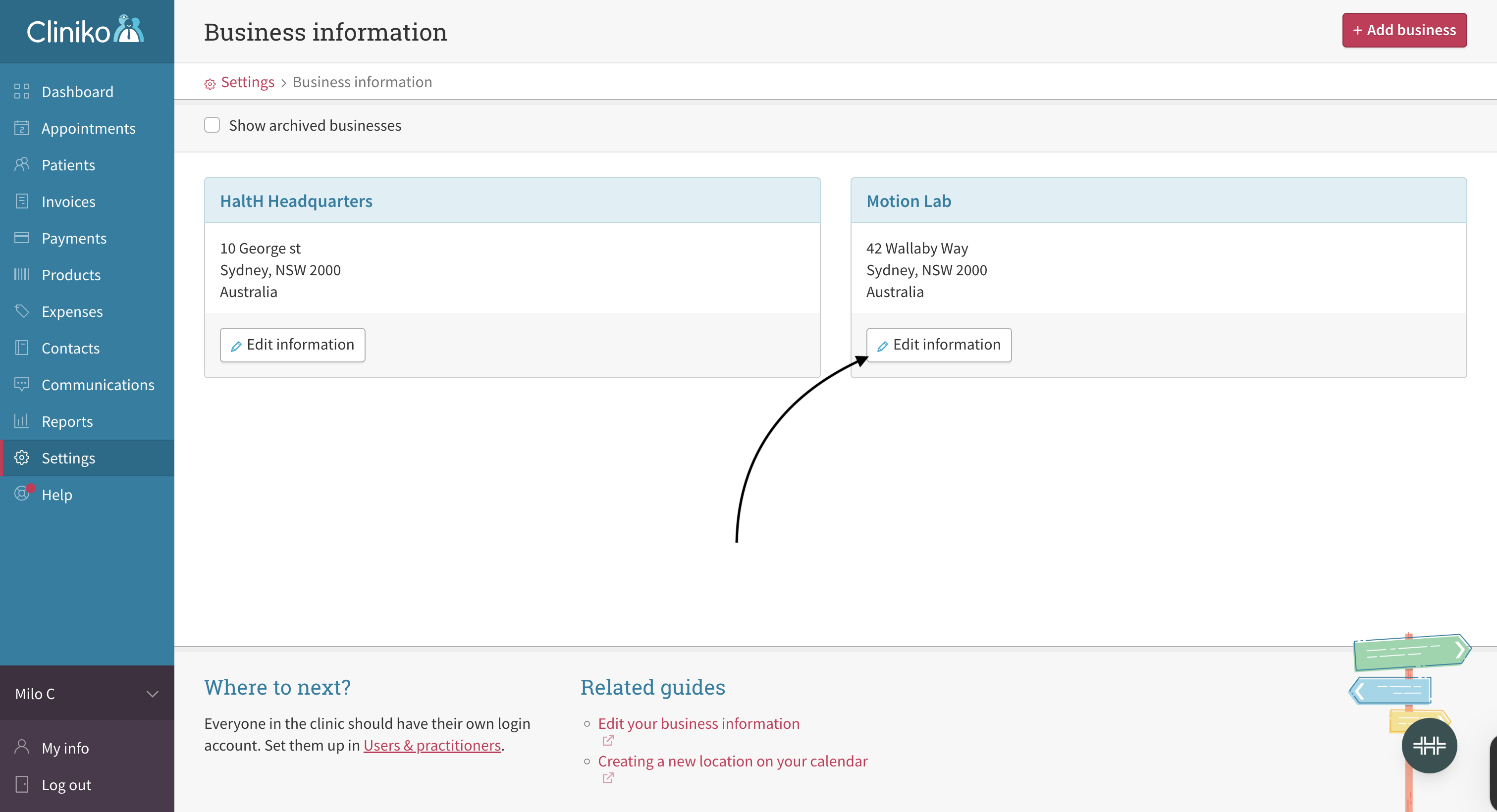
Find the location and click Edit information.
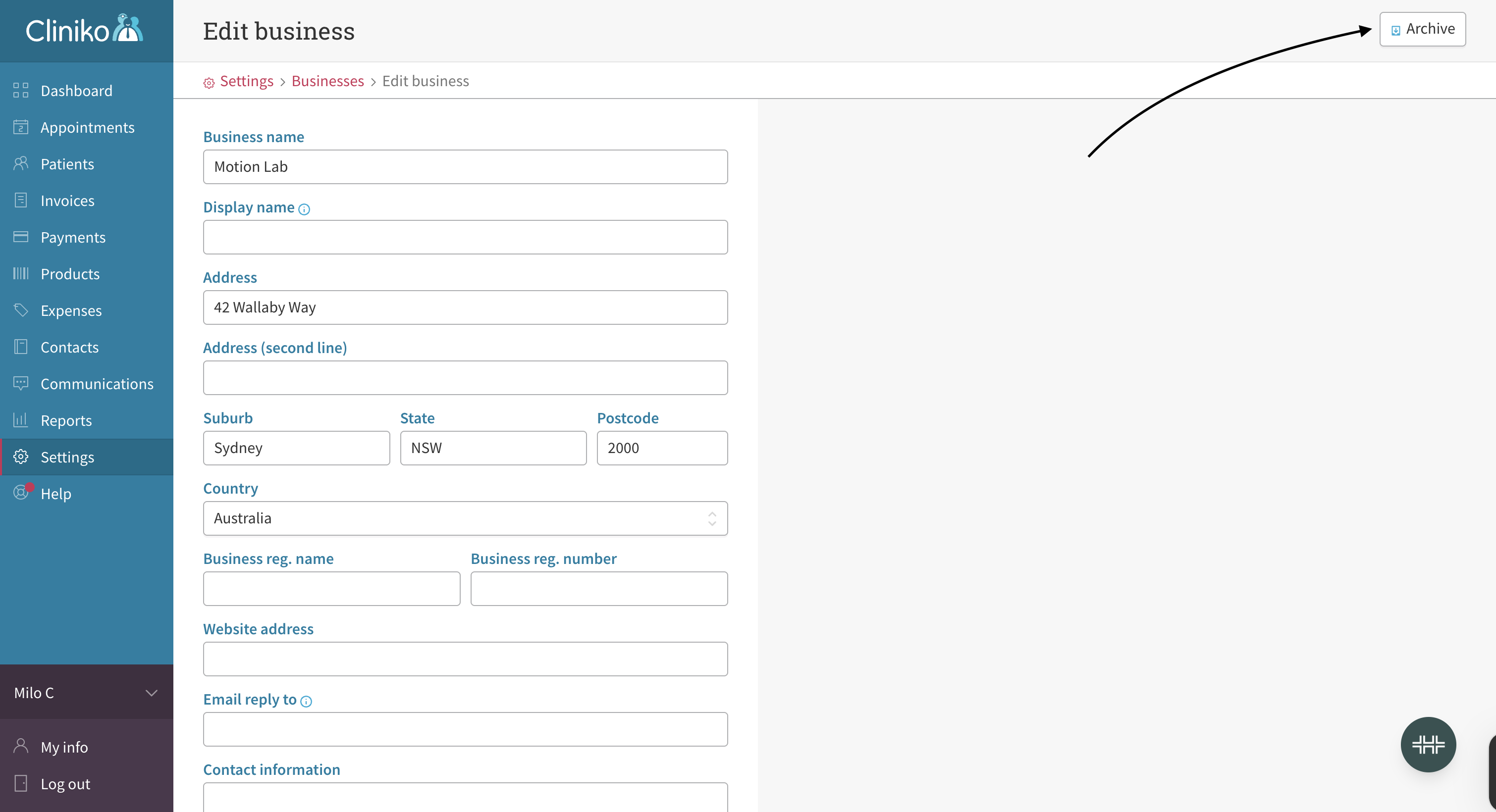
Click Archive in the top-right corner.
The location will no longer appear as active in HaltH.
Option 2 — Nookal
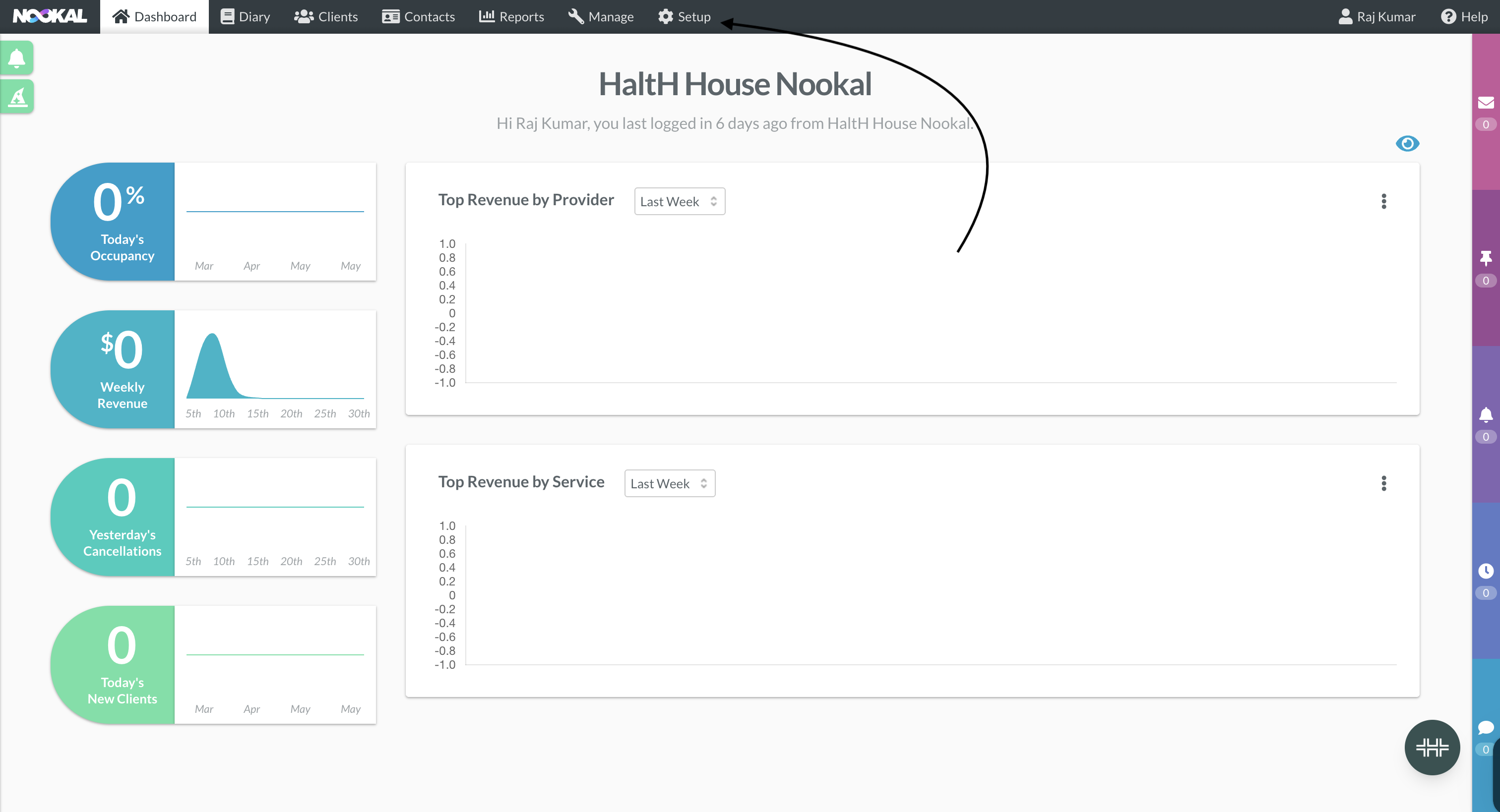
Click Setup in the top navigation bar.
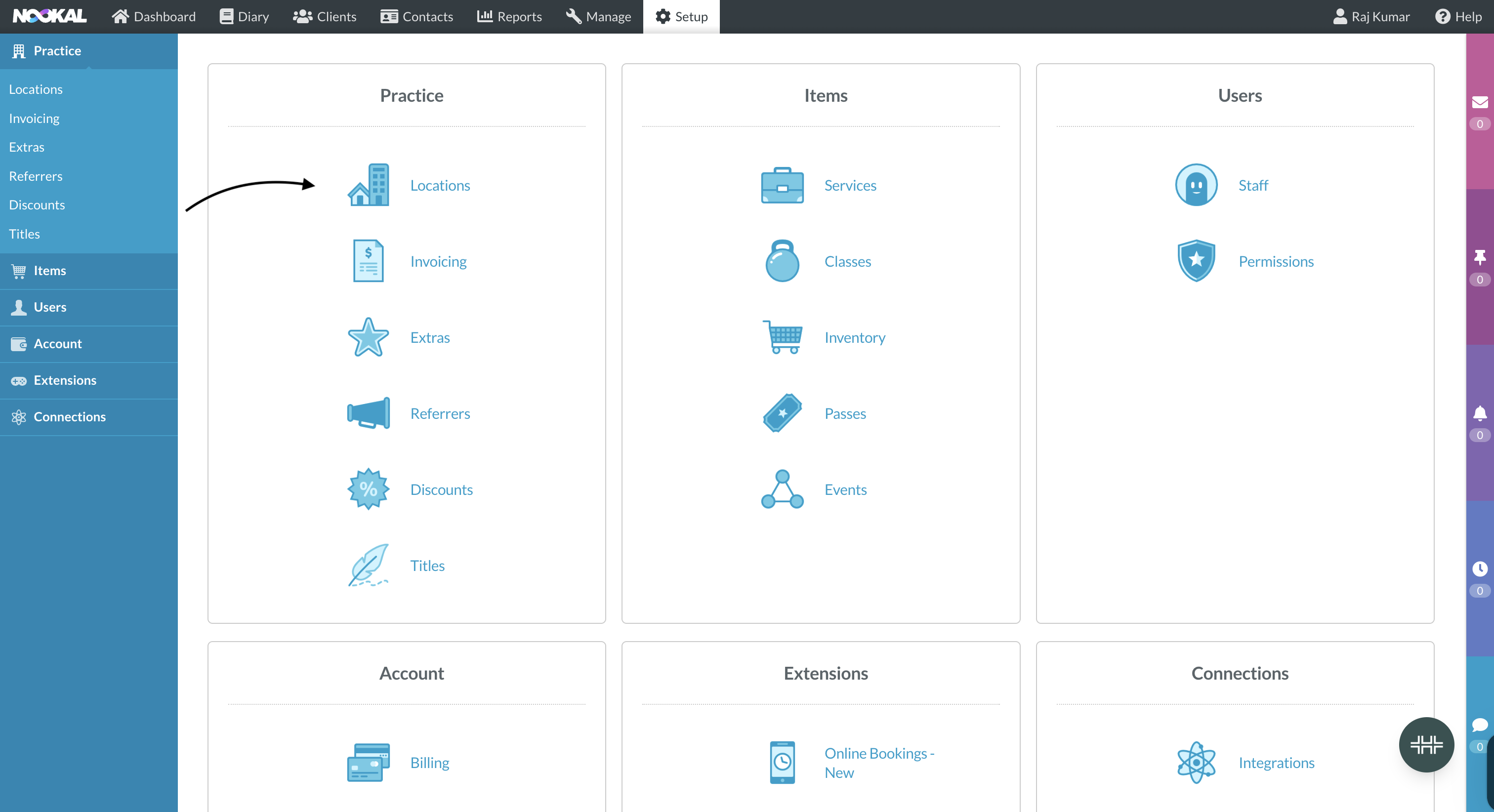
Under Practice, click Locations.
Find the location you want to remove and open it.
Change the status from Active to Inactive.
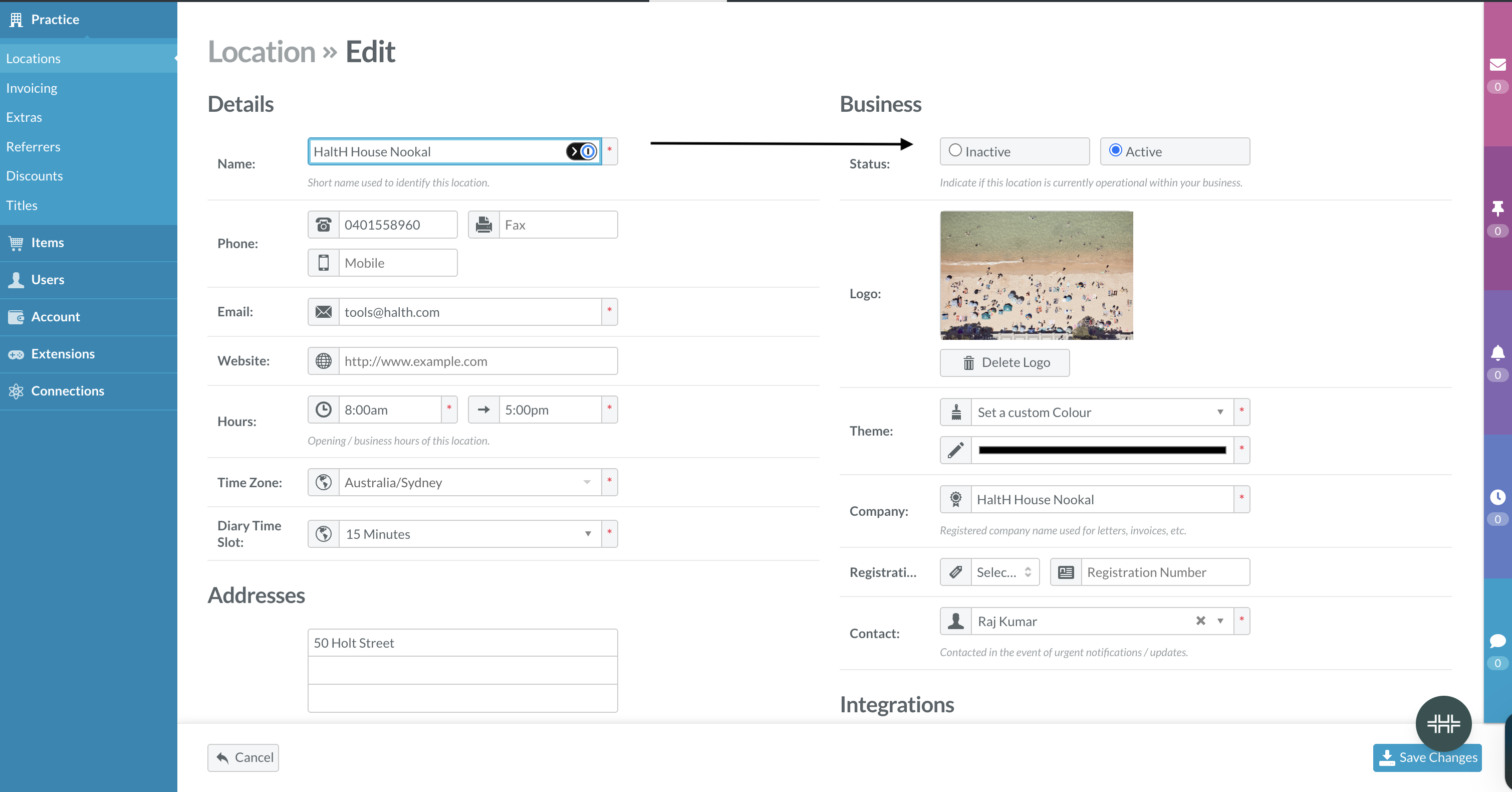
Click Save changes. The location will be removed from HaltH.