company logo

Help center

Back to HaltH
How Secure is HaltH?What Health Funds Are Available?
Explore all topicsHealth FundsDVA claiming with HaltH

DVA claiming with HaltH

How to Submit a DVA Claim from a HaltH Booking


If you’ve already onboarded to Medicare on HaltH, you’re automatically onboarded and approved for DVA claiming as well. There’s no separate setup required, so you can start submitting DVA claims straight away!

1. Open the booking
Find the booking that already has DVA funding attached, or the booking you want to attach DVA funding to.
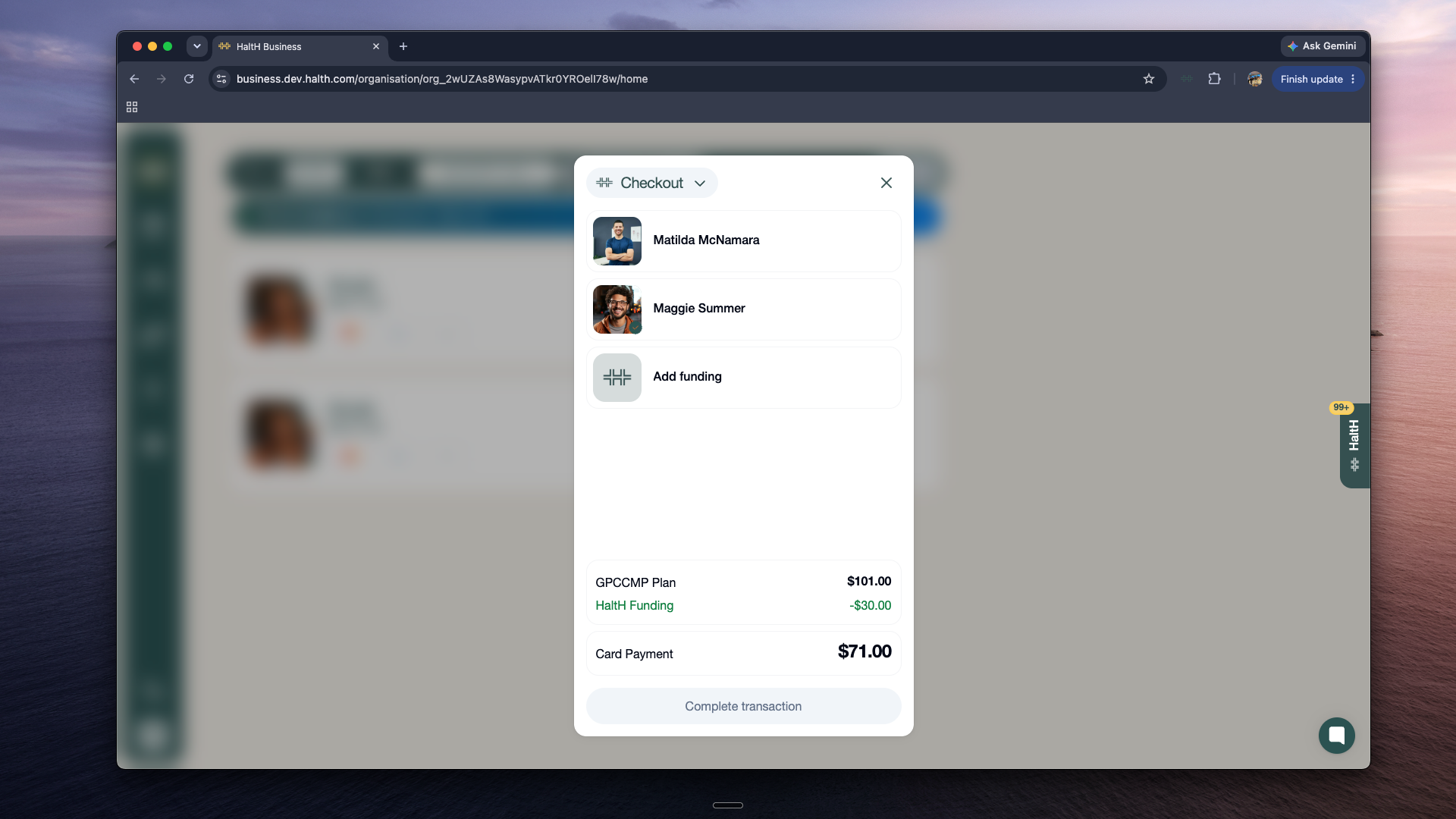
Checkout modal on the HalTH Business screen lists two people, an Add funding option, plan and funding amounts, and a $71 card payment. Visible: Checkout, Matilda McNamara, Maggie Summer, Add funding, GPCCMP Plan, $101.00.

2. Open the funding options
Press Add Funding, or click the funding that’s already attached to the booking.
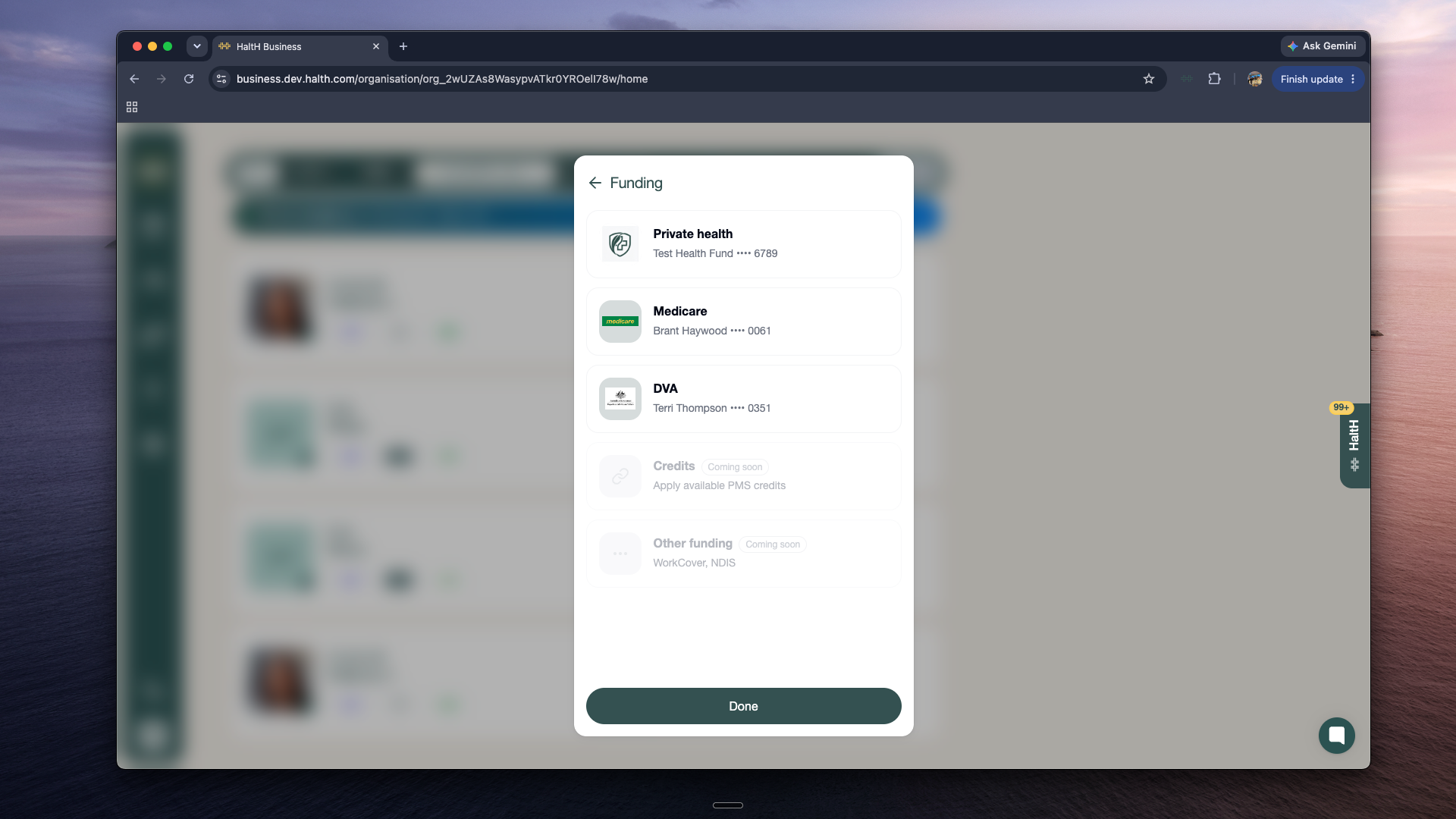
A Funding selection modal lists private health, Medicare, and DVA accounts, plus disabled Credits and Other funding options, over a blurred business dashboard. Visible: Funding, Private health, Test Health Fund •••• 6789, Medicare, Brant Haywood •••• 0061, DVA.

3. Select DVA
Click DVA. You’ll now be asked to enter the DVA card details and a referring provider.
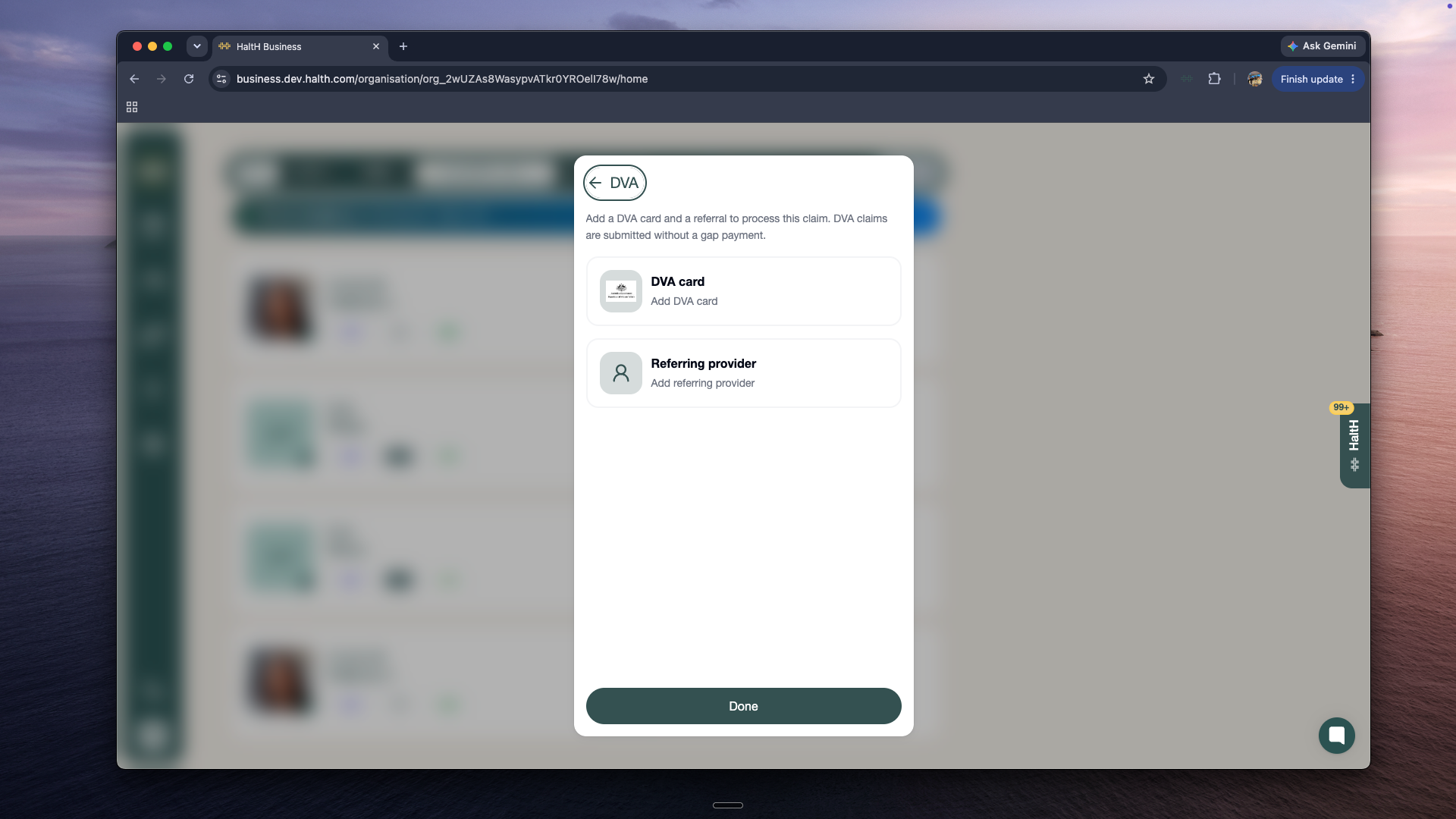
A DVA claim setup panel shows options to add a DVA card and referring provider, with a Done button at the bottom. Visible: DVA, Add a DVA card and a referral to process this claim. DVA claims are submitted without a gap payment., DVA card, Add DVA card, Referring provider, Add referring provider.

4. Add the DVA card
Select Add a DVA Card, then choose a saved card or add a new one. Once the card is added or selected, press Done.
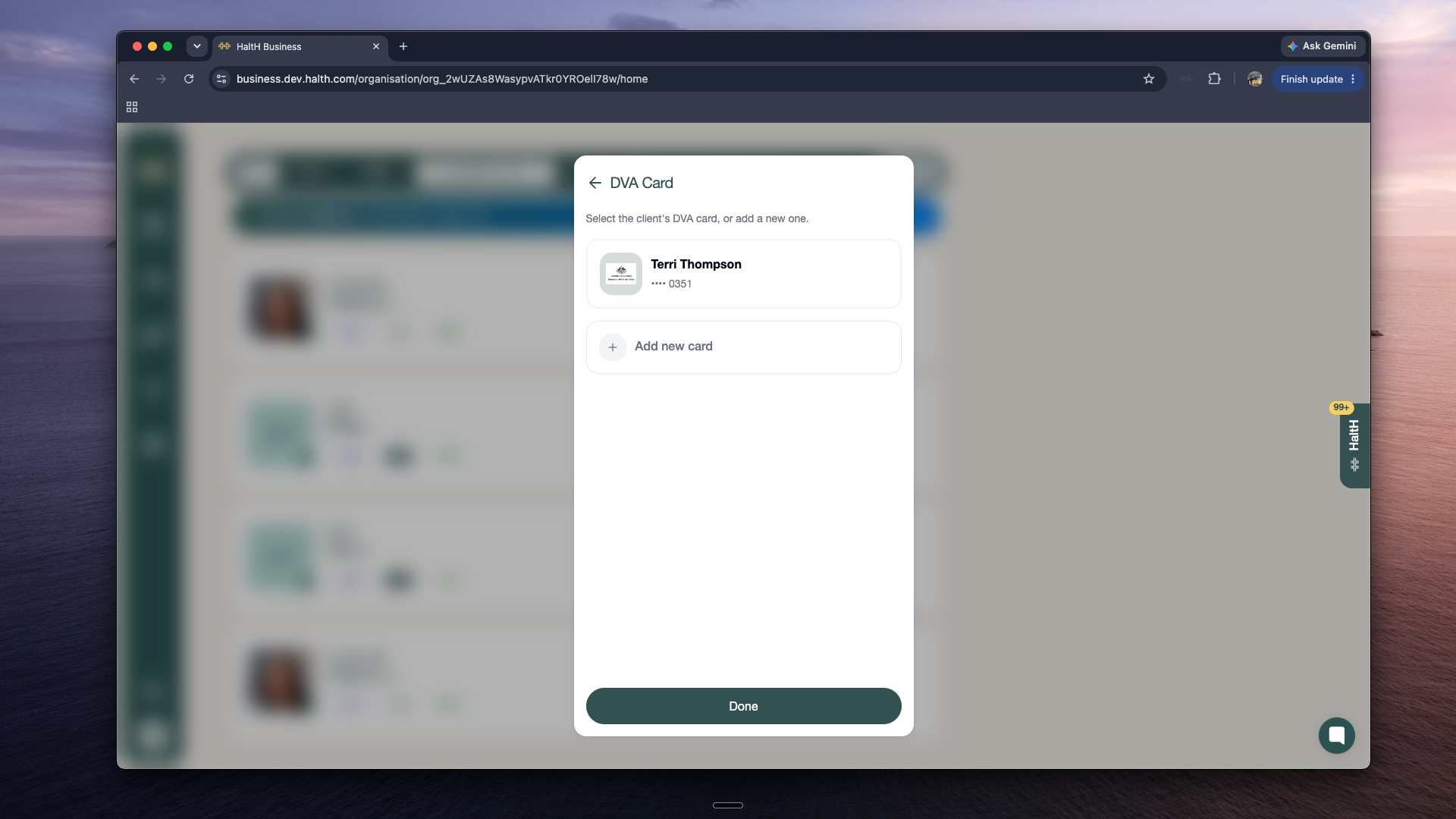
A DVA Card selection dialog on the business screen lists Terri Thompson’s card ending in 0351, an Add new card option, and a Done button. Visible: DVA Card, Select the client's DVA card, or add a new one., Terri Thompson, •••• 0351, Add new card, Done.

5. Add the referring provider
Select an existing saved client referral, or add a new one. Press Done.
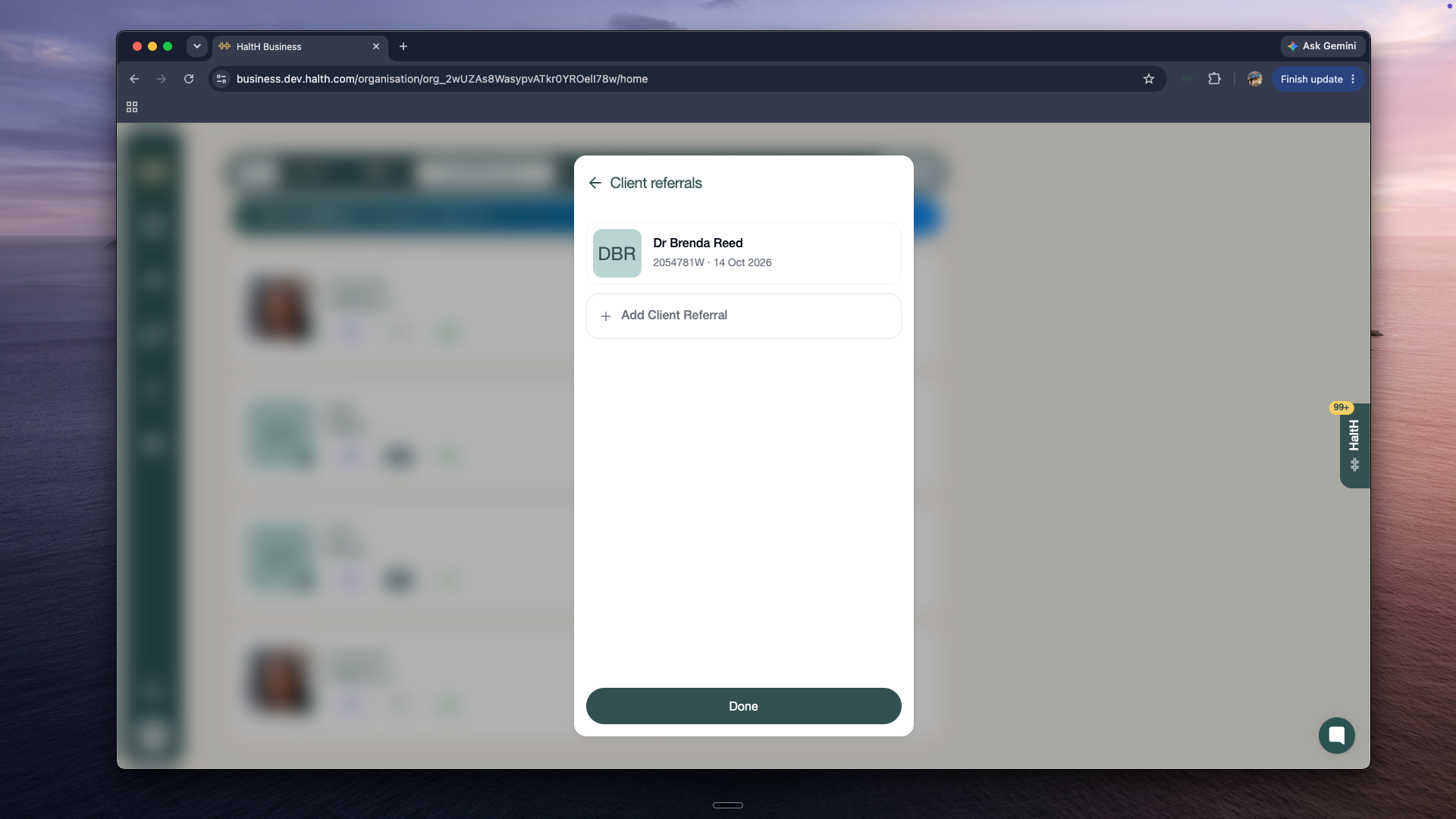
The Client referrals panel shows Dr Brenda Reed’s referral details, an Add Client Referral option, and a Done button over a blurred business screen. Visible: Client referrals, DBR, Dr Brenda Reed, 2054781W · 14 Oct 2026, Add Client Referral, Done.

6. Review the booking
You’ll be taken back to the main booking page. You’ll notice that Claim Only has now been selected as the payment option.
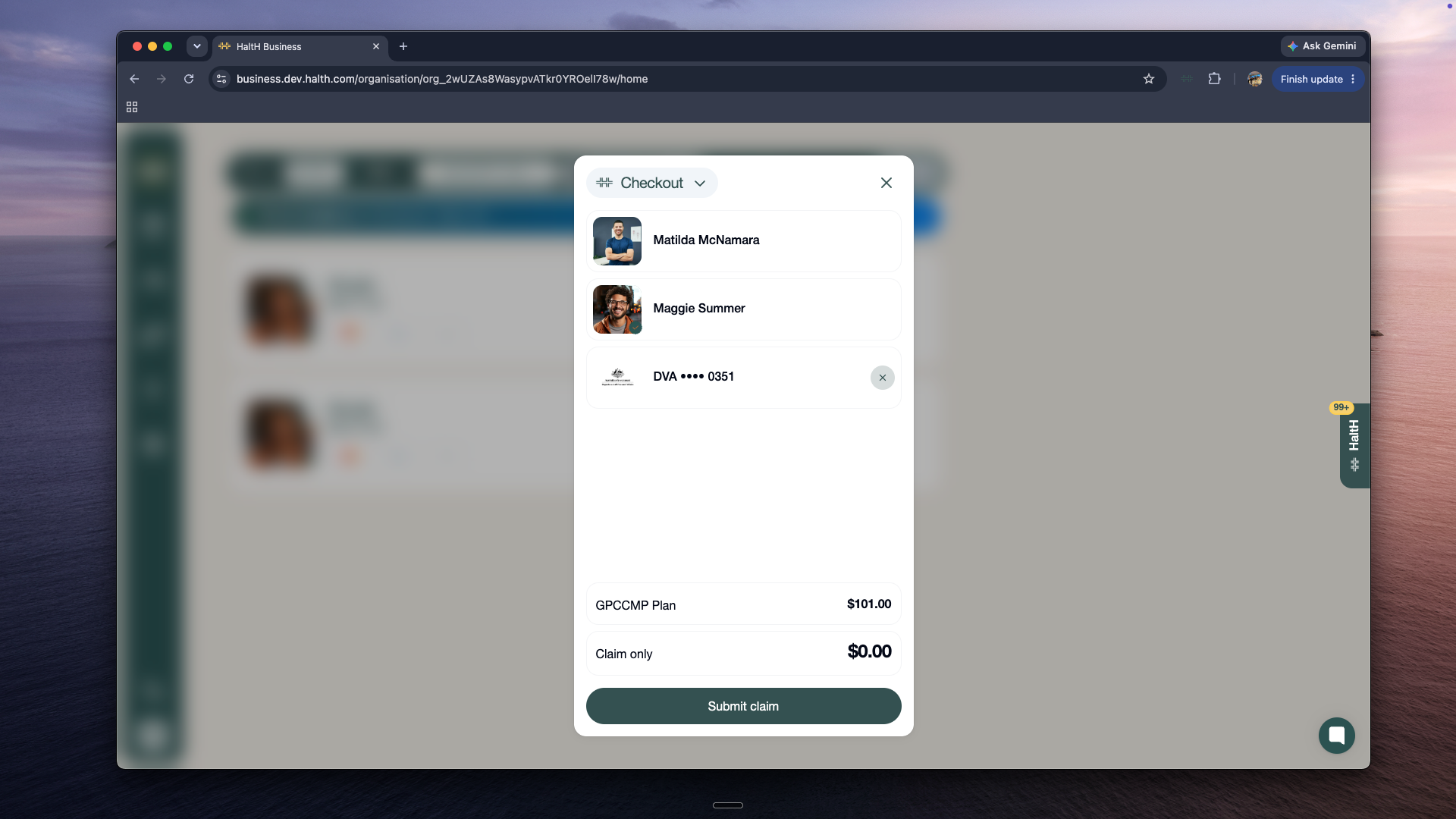
A Checkout modal lists two people and a DVA card ending 0351, with GPCCMP Plan $101.00, Claim only $0.00, and a Submit claim button. Visible: Checkout, Matilda McNamara, Maggie Summer, DVA •••• 0351, GPCCMP Plan, $101.00.

7. Submit the claim
Check that all details are correct, then press Submit Claim.
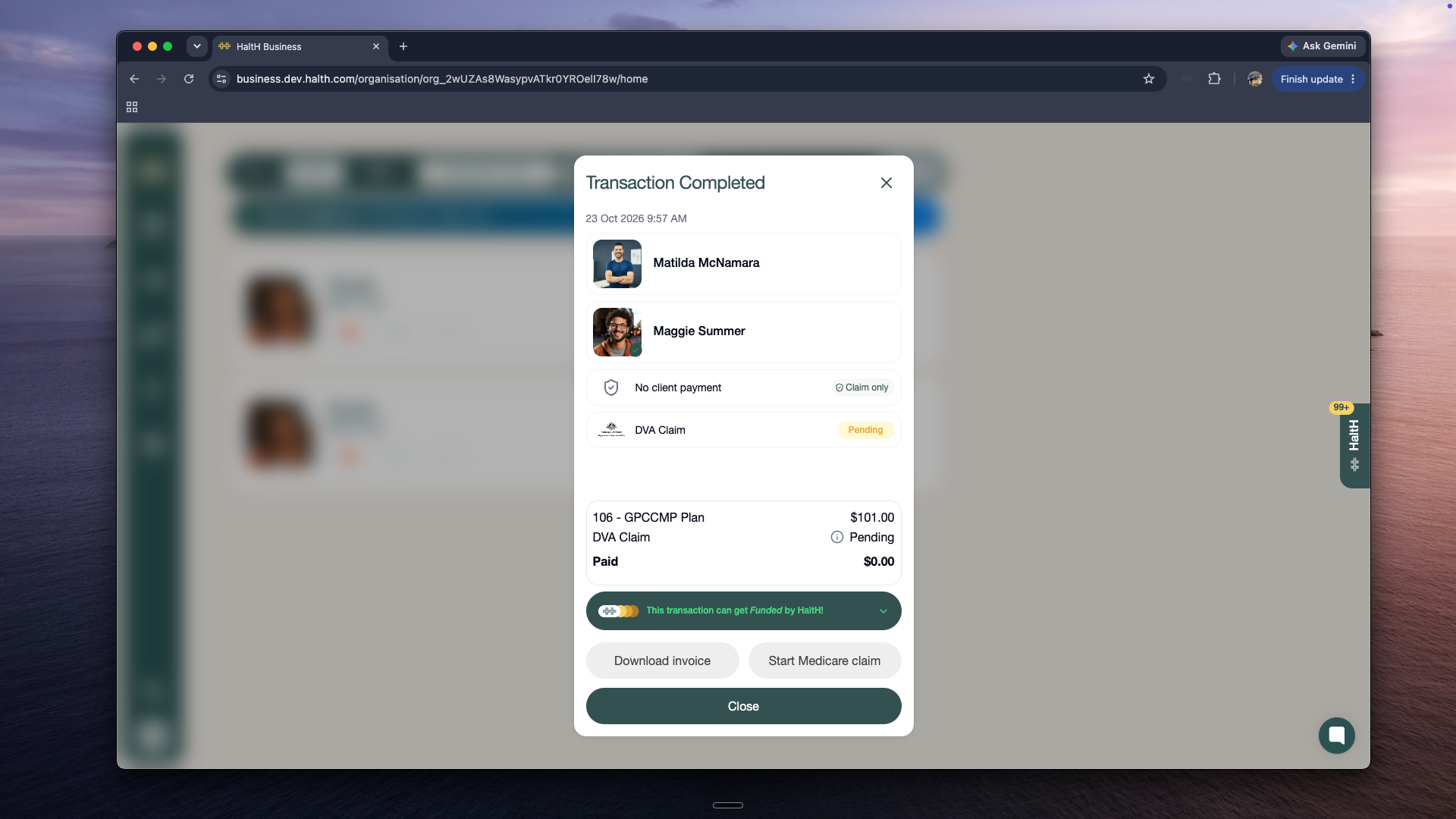
A Transaction Completed modal in the Halth Business screen shows client names, claim statuses, payment details, invoice and Medicare claim buttons, and a Close button. Visible: Transaction Completed, 23 Oct 2026 9:57 AM, Matilda McNamara, Maggie Summer, No client payment, Claim only.

What happens next?
Once submitted, your DVA claim will take approximately 2 business days to process.
Did this help?
😞
😐
😁