Before you can start claiming private health insurance through HaltH, your provider registration needs to be added and approved. It only takes a few minutes!
This can be done by you, as the provider, or by the business owner on the provider's behalf.
Opening the Provider's Account
Start on the HaltH homepage.
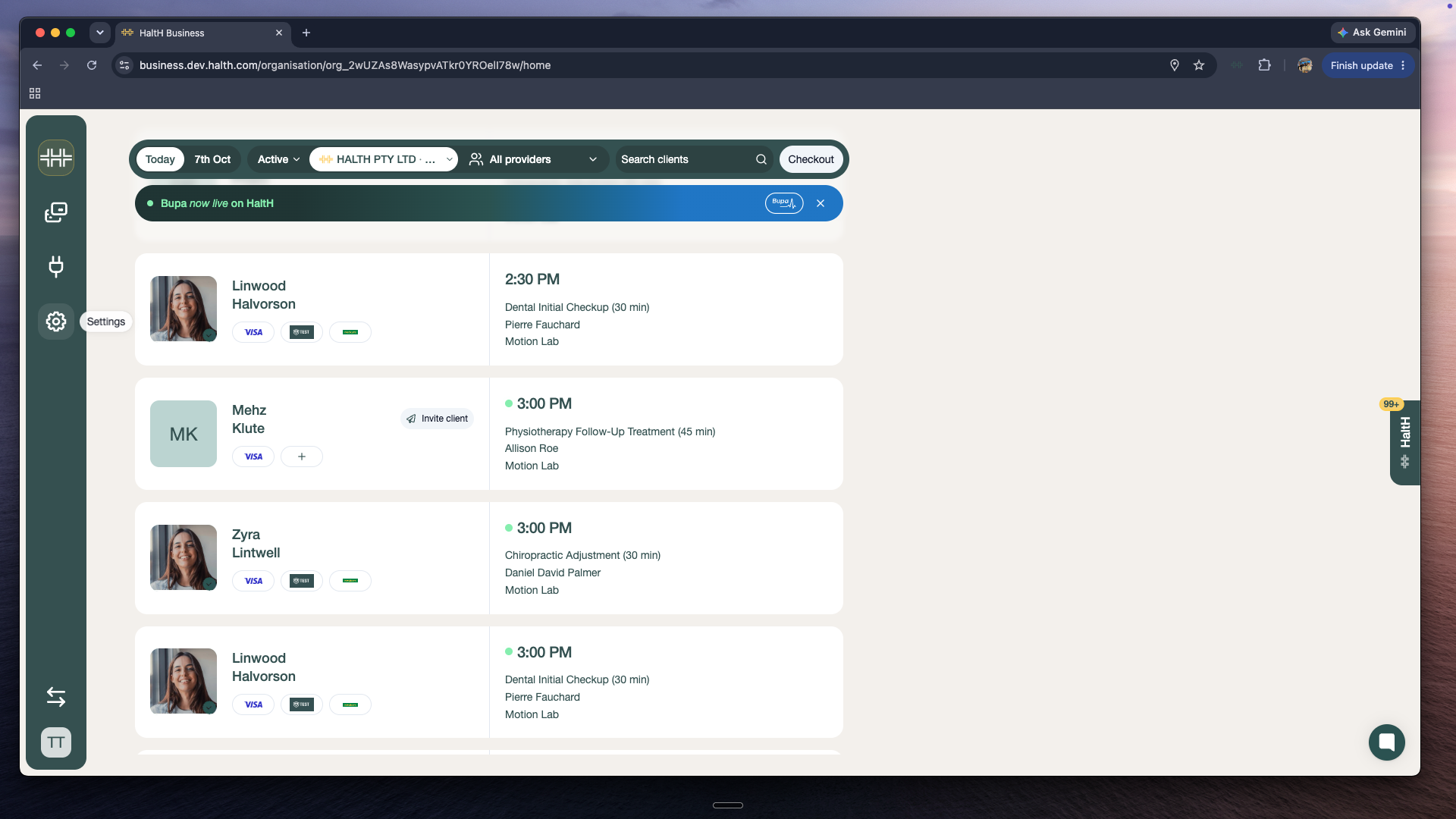
Go to Settings in the left-hand menu and select Team.
Find the provider's account and click on it.
Adding the Registration
Click Add Registration.
Select Private Health Insurance.
Completing the Registration Details
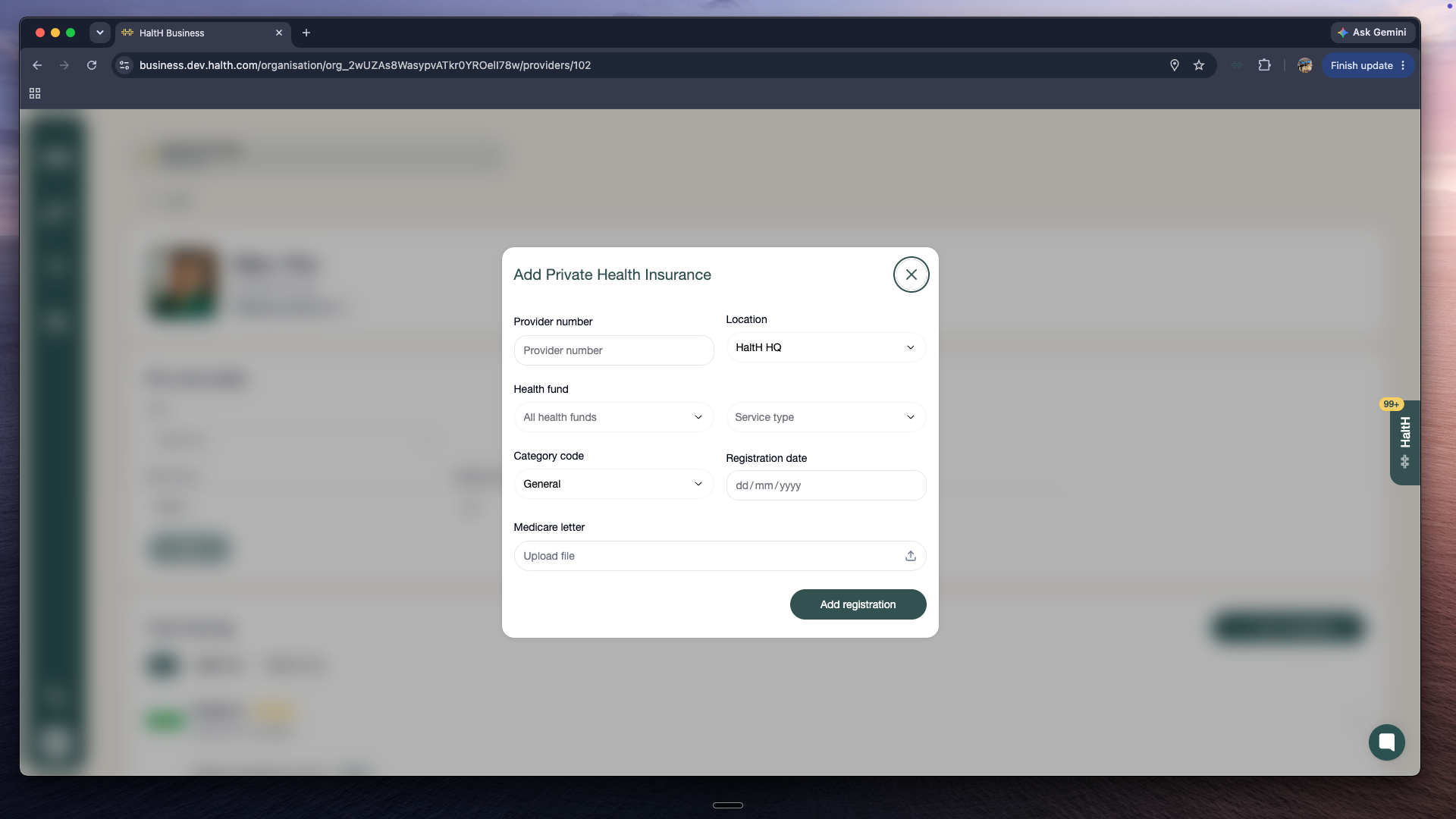
Fill in the following details:
Location: the clinic location this registration applies to
Health fund: this is automatically set to All Health Funds
Service type
Category code
Registration date
Provider number
Medicare registration letter: upload the letter as a file
Once everything is filled in, click Add Registration.
Massage therapists:
If you're a massage therapist you'll need to upload two documents when completing your registration details:
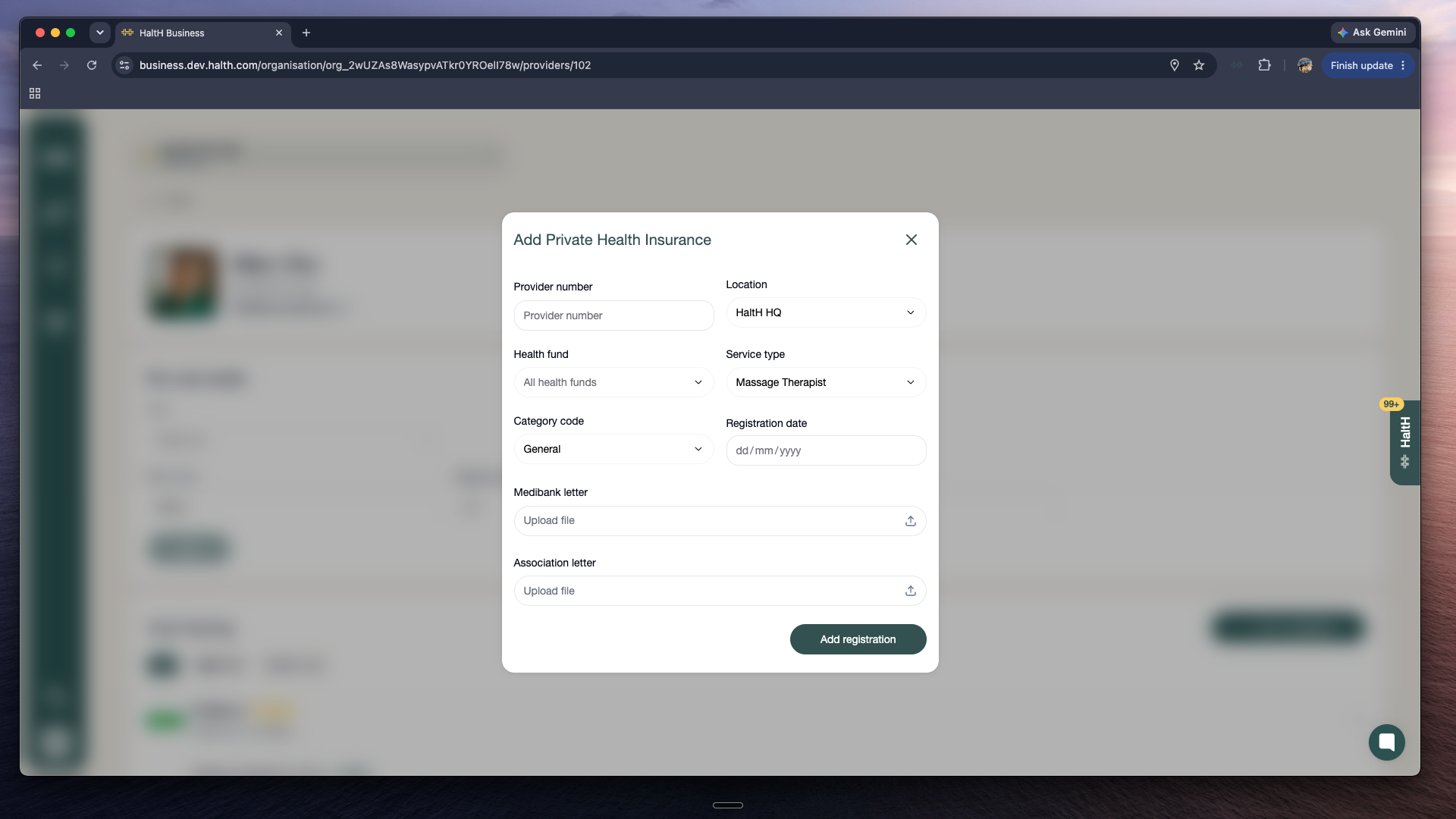
Your Medibank registration letter
A current letter from your professional association confirming your membership
Make sure both are uploaded before clicking Add Registration. Your registration can't be approved without both letters.
Getting Approved
Your submission will then be reviewed and approved within 1 business day, and you'll be ready to start claiming private health insurance through HaltH.
You're all set! Your registration is on its way!
Don't have your Medicare registration letter or not too sure where to find it? Click underneath →
How To Get Your Medicare Registration Letter
Your Medicare Registration Letter confirms that you’re registered with Medicare and shows your Medicare Provider Number(s). Below are the easiest ways to get a copy.